Chaque jour, nous vous offrons des logiciels sous licence GRATUITS que vous devriez autrement payer!
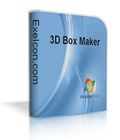
Giveaway of the day — 3D Box Maker
L'offre gratuite du jour pour 3D Box Maker était valable le 10 juillet 2010!

ExeIcon.com 3D Box Maker est un outil de conception d'emballage virtuel. Il crée en 3D des photos de boîte de logiciels, boîtes Vista, couvertures eBook, couvertures de CD, livres, magazines électroniques et plus.
Il vous permet de créer des graphiques réalistes web et imprimables de haute qualité en seulement quelques clics. Nul besoin de logiciels de graphisme professionnels coûteux!
Configuration minimale:
Windows 95/98/NT/2000/XP/Vista/7
Éditeur:
exeicon.comPage web:
http://www.exeicon.com/3d-box-shot/Taille du fichier:
3.96 MB
Prix:
$49.95
Titres en vedette
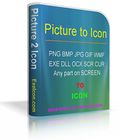
Picture To Icon peut convertir des images ou une partie sur votre écran en icônes, extrait de bibliothèques, de modifier et convertir en PNG ou BMP. Picture To Icon convertit PNG, BMP, JPEG, GIF, CUR, WMF en icônes Windows multi-résolution. Vous pouvez capturer l'écran de votre part et de le convertir en icône, facilement créer, modifier, lire et enregistrer des icônes avec transparence.
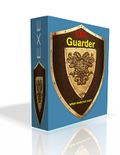
Exe Guarder protège tout fichier exécutable avec son propre mot de passe de l'exécution non autorisée ou la copie. Il supporte toutes les fenêtres exe-fichiers. Seulement 2 ateps simple et facile, un mot de passe seront nécessaires pour exécuter le fichier EXE.
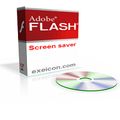
Flash Screen Saver joue des films flash comme écran de veille. Tous les films Flash-vous peut être ajouté à sa liste de lecture. Il vous permet de définir les options de tous ces films », comme les couleurs d'arrière-plan, etc qualités Ces animations Flash peuvent être lus un par un ou ensemble. Certes, il n'est pas seulement un lecteur flash, mais aussi un écran de veille.
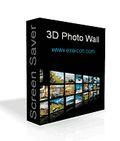
3D Photo Wall Screen Saver est un économiseur d'écran qui peut afficher vos photos sur un mur 3D. Avec lui, vous pouvez créer une galerie interactive mouvement 3D Photo et créer une expérience 3D pour vos photos en quelques secondes. Le réglage d'écran vous permet de spécifier le dossier des photos, des photos de colonne, la vitesse de lecture automatique et ainsi de suite.
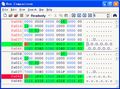
Hex Comparison est une comparaison de fichiers binaires et éditeur hexadécimal. Il vous aide à comparer les fichiers au format binaire, servant d'éditeur hexadécimal.
Commentaires sur 3D Box Maker
Please add a comment explaining the reason behind your vote.
The Good
* Straightforward and easy to use.
* Users can either use pre-designed templates or create custom designs from scratch.
* Users can insert multiple different objects into designs, including boxes, CDs, books, and 3D text.
* Each object can be customized (look, size, rotation, etc.)
* The environment of the design (background, floor, camera, light, etc.) can be customized.
* Has a built-in basic image editor that users can take advantage of.
* Supports import of .3ds models.
The Bad
* Cannot export designs as GIF (JPEG, BMP, and PNG supported only).
* Cannot change the font of the 3D text.
* Interface is an eye sore - could do with an overhaul.
Free Alternatives
3D Box Shot Maker
BoxMaker Classic
Virtual Hardbox Designer
For final verdict, recommendations, and full review please click here.

Installs easily but at the end of installation it throws up a window with the shortcut folder; very 80's :) Seems fairly simple to use but rather overpriced if I were considering buying this. $49.99 buys a personal licence - 5 users pay $149.99 & 10+ $299.90. Hellooo! It's not THAT good!
The rendering is generally reasonable, but that's on a quad core with 2 Gb RAM. Don't know how it would stack up on a slower system. Has not so much as a single level undo on the main interface, although the picture editor does. The editor itself is a pretty basic affair, and personally I'd be inclined to doing all my main edits to a picture in a more powerful external program.
As a giveaway it's fine, except the only real purpose for this kind of program is to create commercial advertising, which negates the agreement on GOTD.
A comparable freeware is CDCoverCreator, with no major restrictions on its use. I know which I'd choose first!
LOTS OF TEMPLATES !!!
Mistake in my last post.
There is a collection of about 40 templates in the program using open template or the bottom of the Add Oject menu.
ALSO, follow the links on the exeicon page!!!
and grab their free templates there is several more cool ones that are not in the program, and they are currently free to download. I grabbed nearly 50 of them, but some are apparently repeats.
This really adds value to the program, I', gonna work on an orange juice box creation today :)
i found a freeware 3D box maker before but it was so difficult for a home user like me to navigate the application. this one is so easy and i was able to make 2 samples - a notebook and a book cover in less than 5 minutes! the output images are also crisp, clean and clear. This runs well also on my Windows 7 x64. thanks GAOTD!
PROS:
Runs fine in Windows 7 64 bit.
Controls couldn't be more simple - great for a quick concept creation, or for fun art.
Does a nice job of making short work of a 3D box or book design, renders a 3D disk, curved surface, and it makes simple 3D text.
Rotating 3D canvas. Just place the pic on the surface of the object, rotate and position (one or more objects) and render a snapshot.
8 templates total
It will also import 3ds files
- and you can have multiple objects in the shot at once.
Renders and exports a clean picture up to 4096x4096
Cons:
The maximum size for the preview is about 400x400 - the preview pane takes up most of the window. This leaves an enormous amount of blank real estate on the screen, letting you know that the program is better situated on an 800x600 screen, it's awkward and feels like a throwback, but it doesn't effect the quality of the render.
Not enough tools and options to be considered any kind of full 3D rendering program, just a sparse handful of buttons and sliders that do what they are supposed to do.
Has an advanced tab for Hardware rendering that shows the same few options over and over in a long list. Looks like there was originally picture resoltuions or something that are no longer there - just "32 bit color, 24 bit depth" over and over. Have no idea what it does, but if it doesn't work, switch back to software rendering.
Conclusion:
I like having simple little gizmos like this. No use trying to make a photo program deal with it when this one allows you to pop images on to a 3D canvas.
It does seem dated, kinda wonky, and a little sparse on options.
Overall, I'd say grab it today, it's fun.
As far as paying $50 for it....
Probably not the best value out there.
offres du jour pour iPhone »





offres du jour pour Android »





"Nul besoin de logiciels de graphisme professionnels coûteux!"
"Prix : Le programme est disponible pour $49.95"
...Euh...
Ils se contredisent pas un peu là, non ?
Sinon à part ça, le logiciel fait son boulot. Pas super utile pour moi, mais certains y trouveront peut-être un usage auquel je n'ai pas pensé ;)
Save | Cancel