Chaque jour, nous vous offrons des logiciels sous licence GRATUITS que vous devriez autrement payer!
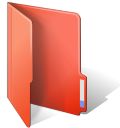
Giveaway of the day — FolderIco 4.0
L'offre gratuite du jour pour FolderIco 4.0 était valable le 10 septembre 2015!
Don't you know how to change standard yellow folder to a colourful and bright one? With FolderIco, give some color to Windows folders. With just a one click, colorize your folders, and discover a new intuitive way to classify your files. A quick look is now enough to identify the folder you are looking for!
FolderIco is a very light software, that doesn't stay in memory. It uses a native functionality of Windows to be more efficient. Discover its simplicity: with a single right-click on a folder you change it icon!
Please note: You can purchase a Personal license (with support and updates) with 50% discount!
Configuration minimale:
Windows Vista/ 7/ 8/ 8.1/ 10; 1000 MHz processor; 128 MB RAM
Éditeur:
TeoreXPage web:
http://www.folderico.com/Taille du fichier:
12.6 MB
Prix:
$19.99
Titres en vedette

Remove undesirable objects from still images, such as logos, watermarks, power lines, people, text or any other undesired artifacts. There's no need to go through messing around with your old clone tool manually any more! Purchase a personal license with 50% discount.

PhotoScissors background removal tool can easily extract objects and remove background from photos. All you need is to draw some foreground and background and algorithm takes care of details. Purchase a personal license with 50% discount.

PhotoStitcher will automatically combine overlapping photos to produce perfect panoramic image. You just snap some overlapping images and click Stitch button. PhotoStitcher is a fully automatic image stitcher. Purchase a personal license with 50% discount.

iResizer scale an image without changing important visual content such as people, buildings, animals, etc. iResizer lets you shrinking or enlarging images to improve a composition, fit a layout, or change the orientation. Purchase a personal license with 50% discount.

GIVEAWAY download basket



Commentaires sur FolderIco 4.0
Please add a comment explaining the reason behind your vote.
'FolderIco' from TeoreX is undoubtedly one of the best in this category. Used it in past without any problems but right now my favourite is 'Shedko Folderico 4' ( http://eng.softq.org/folderico ) a freeware tool for private use. It operates in two ways- extracts icon from icl-theme and copy to customized folder or just makes a link to icl-theme without extracting icons. Note 'Shedko folderico' had some bug in integration to context menu on 64bit system . I use the portable version which can not create context menu entry but 'Filemenu Tools' helps to create an 'open with' entry in its menu so any folder can be opened with 'Shedko FolderIco' and the icon can be customized. For XP users there is different version available at http://eng.softq.org/folderico_xp .
'Shedko Folderico' uses special format SFT as themes (available at http://eng.softq.org/folderico/themes ) but it is just an archive. After manual extracting you will get the icon-library (icl) file which can also be used by 'Folder Marker' . While 'Folder Marker' charges for extra icon sets you can use those 'free to share' Shedko Folderico themes . Additionally Shedko folderico also supports 'iColorFolder' themes.
Few more considerable Programs :
*Folder iChanger - http://www.mohaned-b.com/FolderiChanger/Features.aspx
* iColorFolder with additional skinpack - http://icolorfolder.sourceforge.net/?page_id=33
* Rainbow Folder - http://www.softpedia.com/get/Desktop-Enhancements/Other-Desktop-Enhancements/Rainbow-Folders.shtml
* IconTweaker - http://www.crystalxp.net/galerie/en.id.83-icontweaker.html ( personalize the appearance of icons and folders on Windows XP )
* Drive Icon Changer - http://www.redmondpie.com/how-to-change-your-drive-icon-in-vista ( works on xp and vista )
* Drive Icon Changer by SHIM SOFTWARES - http://deepappsstore.weebly.com/drive-icon-changer.html ( for all windows )
* Hardrive Icon Changer by Vipul Thawre (Portable)- http://vipsoftwareszz.blogspot.in/2013/05/hardrive-icon-changer-10.html

This is not for XP. XP users can choose version 2.
The idea of colouring a folder should not be overdone.
In a large group of normal folders, a red folder stands out.
But if the large group of folders are individually coloured red, green blue, pink, black, etc... then all you got is a multi-coloured mess.
I already had the 3.0 version and I was very satisfied, when i saw the new version today, i thought I'll give it a try. I've downloaded it, installed it, no problem and works fine. I'm on windows 7. Thank you very much!
Coloring, marking or decorating your folders is not just for fun and make your Explorer look pretty. Beside allowing you to identify their content more easily (the human brain perceives colors much faster than it can read, but ric is right, it should not be overused) it has many practical uses. For instance, on your brand new computer or just after reinstalling Windows, you can give a specific aspect to all folders in “Program files” and “Windows” directories so that you will always know which folders belong to your original installation and which were added afterwards. You can also do the same with subfolders in specific folders before specific restore points to know what will be affected if later on you decide to go back to that point etc.
I have tried many programs for that purpose, freeware or giveaways (Folderico, FolderMarker, IColorFolder etc.) and, in spite of its nightmarish interface (it took me some time to understand the logic behind it), imho, icomancer is by far the best one, and surely the richest in features:
http://www.lavasoftworks.com/icomancer/index.html
The fully functional program, with already a lot of stuff, is free, but you can buy “premium content” (some extra textures etc.). It is windows 8 compatible. (I don’t know though for W10). It creates folders in all 6 dimensions, from 16X16 to 256X256, and they will stay the same when copied to a USB drive, SD card or another PC. You can just use the shapes, colors and textures of the program, or, if you are in a more creative mood, decorate your folders with your own photos, images, icons etc. And then you can share your creations on the site.
tried the program but I find the the Windows built-in folder customization is better for my personal use. a little more work is required true, but I can get exactly what I want and not compromise on the sets a made application provides. Also, installing the program or running it, takes resources I am not willing to spare for such a task.
What I do is download a free icon that suits exactly my needs (or any image and convert online to an .ico), right click the folder I wish to customize, choose properties>customize>change icon and browse to the image.ico I have chosen. free, no resources are spent and I get exactly the icon I wanted without compromising on what a program set offers.
offres du jour pour iPhone »





offres du jour pour Android »





Éh les copains !
Zavez entièrement raison.
Donner mes coordonnées FB ou Tw : jamais !
Mes me priver de GAOTD et d'un programme comme la nouvelle version de Folder Ico que j'utilise depuis plus de 5 ans : jamais non plus.
Alors j'utilise yopmail. Une adresse courriel jetable.
30 secondes de perdues, en tout et pour tout.
Il y a des jours où cela en vaut la peine !
Save | Cancel
Je déteste les médias sociauxpathe et regrette de voir
que Giveaway oblige ses abonnés à y avoir recours.
Save | Cancel
Quel déception !! Obliger d'avoir FaceB..ou Twit...pour télécharger un logiciel, bon je vais aller sur d'autre site.
Save | Cancel