Chaque jour, nous vous offrons des logiciels sous licence GRATUITS que vous devriez autrement payer!
Giveaway of the day — iCare Data Recovery 4.1
L'offre gratuite du jour pour iCare Data Recovery 4.1 était valable le 8 janvier 2011!
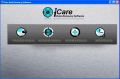
Finis les maux de tête à cause de données perdues! iCare Data Recovery est une solution de restauration de données compréhensive qui peut facilement restaurer les fichiers de disques durs formattés, fichiers supprimés par inadvertance, lecteurs ou système de fichiers raw, partitions supprimées, etc. Il peut tout retrouver n'importe quels fichiers supprimés comme des photos, documents, mp3, fichiers outlook, présentations et fonctionne aussi avec divers médias comme disques durs, disques durs portables, cartes SD, caméras numériques, clés USB, iPod, cartes mémoire, etc.
Quoi de neuf?
- recherche de fichiers améliorée
- interface améliorée avec un meilleur guide
- liste de fichiers et dossiers perdus
- entreposage plus compact
- bugs réparés
Configuration minimale:
Windows 7/ Vista/ XP/ 2000 pro/ Server 2008/ 2003/ 2000
Éditeur:
iCare RecoveryPage web:
http://www.icare-recovery.com/Taille du fichier:
4 MB
Prix:
$69.95
Titres en vedette

Dédié à la restauration de fichiers et compatible avec Windows 7, iCare Format Recovery vous aidera professionnellement à restaurer les fichiers d'une partition, d'un disque dur, d'une carte mémoire ou d'un média d'entreposage formatté comme une clé USB, etc.

iCare Undelete Free restaure les fichiers supprimés de la corbeille, d'une caméra numérique ou d'un lecteur MP3. Et c'est gratuit!
Commentaires sur iCare Data Recovery 4.1
Please add a comment explaining the reason behind your vote.
The Good
* Has four different recovery modes users can use: "Lost Partition Recovery", "Advanced Files Recovery", "Deep Scan Recovery", "Format Recovery".
* Allows users to preview files.
* Has a built in search tool to search for files by name, type, date created/modified/accessed, and file size.
* Supports internal hard drives, external hard drives, and other forms of portable media like USB/flash drives, SD cards, etc.
The Bad
* Shows already existing files in the scan results when using 3 out of the 4 recovery modes; no way to not show the already existing files.
* Can only preview a limited types of files; cannot preview all file types.
* Requires Microsoft Office to be installed in order to preview DOC/PPT/XLS files.
* Cannot preview files that are larger than X MB, but developer does not tell exactly what this limit is set at.
* Does not give any sort of key or guide explaining what the file icon symbols mean that are associated with some files in the scan results.
* Doesn't explicitly tell the "recoverability" of a file.
* Doesn't have any sort of bootable media.
* DOC files won't properly scroll horizontally when being previewed.
Free Alternatives
Testdisk & PhotoRec
For final verdict, recommendations, and full review please click here.

As Barry (#2), I have got 4.0 version from GAOTD. I tried it on my computer with dead FAT32 partition (partition table crash?). Yes, the program found a lot of files, was ready to recover them, but was seemingly unable to recover any folder structure. Files only, in one big pile. EASEUS Partition Master 6.0.1 Professional Edition (thanks, GAOTD!) made this job perfectly, with more or less recovered directory tree. Yes, the program from iCare does work, but it is suitable rather for recovery of small number of occasionally deleted files on USB stick and so on.
I just ran a test on a spare drive with over 100,000 files on it. Deleted on purpose over 10,000 files and then turned off the computer.
Re-booted with another drive and tried to recover, these are the finding:
The software first looked at the hidden spare directory entries, then listed them in order of entries and chronologically.
It didn't looked at the actual file locations, since the files are stored in sectors all over the hard drive.
When instructed to recover a certain file, followed the segments from the beginning of the file creation date. I had few files with same or similar names in different directory and the software daisy chained them into one file and created cross contaminated data, which made the recovered file useless.
The preview of deleted files did not worked as described by the developer and the previews were cross contaminated too.
I could not recover files that were deleted and then the drive was re-formatted with different operating system (original was fat32 and then NTFS).
In conclusion, this is not as powerful recovery software as stated, but mediocre or just as basic recovery scheme.
I've never been impressed with iCare Data Recovery, and like so many offerings, it violates fundamentals of Windows programming by giving itself permission to and writing data to Program Files. Like most software which accesses hardware rather than using drivers, it can't see or access disk volumes visible in Windows, like RAID and virtual volumes. Piriform Recuva (free) remains my preferred first choice, although I still wish that they would improve some things about the UI. Most people who have complained about it have never bothered to figure out what it does, by actually examining what features are available in the UI, checking buttons, trying right-clicks, double-clicks, etc. It will install a 64-bit version on 64-bit systems. Portable versions are available, and I use the Slim installer on the Builds page. TestDisk and PhotoRec certainly wouldn't be my first choice. Clunky UI, and like so much open-source software, poor support for Microsoft formats. PhotoRec looks for tons of formats which I don't use, which can lead to erroneous results unless you uncheck them, and doesn't support formats which I do use. Recuva sees volumes that Windows sees, and Partition Find and Mount (free version available) should let it see lost partitions. Recuva did a quick scan of 8 logical drives (it said 12, but 4 were empty media slots) totaling around 14TB (including 4 external USB 2.0 drives and a USB flash drive) in 48 seconds. I'm having it do a deep scan of a 6TB RAID volume, and it's already 21% complete.
I accidentally deleted a folder on a USB stick yesterday. I tried three programs from the web to recover it, without success. This program found the folder and its files successfully. So I think it's great!
offres du jour pour iPhone »





offres du jour pour Android »





clé ne fonctionne pas pour iCare Data Recovery
Save | Cancel
$70 pour ce logiciel (même si aujourd'hui c'est gratuit, mais pour une installation unique...), alors qu'il y a plein de gratuits qui font la même chose...
Même pas testé.
Save | Cancel
Re,
A l' attention de ceux qui lisent, comprennent +-bien l' anglais, il est, évidemment, interressant d' examiner le #1 - soigneusement - sur US ce jour (soigneusement) et éventuellement de se rendre sur son site.
Bye bye.
Save | Cancel
Bonjour,
Il y a bien longtemps que je connais "icare" & que j' ai installé "iCare Data Recovery" sans avoir eu à l' utiliser - ni testé - mais ça vaut la peine de le possèder (?).
Par contre "iCare Format Recovery v2.0" a été gratuit un jour... je crois que c' est "onneditpastout ???" qui nous en avait averti ici -GAOTD- & encore je dois l' en remercier !!!
De toutes les façons, veiller à installer ce type de logiciel au bon endroit, c' est à dire hors de vos données sensibles (comme un disque externe, de veiller à récupérer le +tôt possible !!! ET...ET...
... de garder la KEY+SETUP car les log de ICARE se réinstallent parfaitement à condition d' avoir le setup+key en dehors de GAOTD & de date, etc...
BYE (+1 - XP - NTFS pour les HD.
Save | Cancel