Chaque jour, nous vous offrons des logiciels sous licence GRATUITS que vous devriez autrement payer!
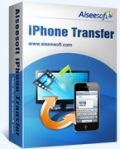
Giveaway of the day — Aiseesoft iPhone Transfer 7.0.30
L'offre gratuite du jour pour Aiseesoft iPhone Transfer 7.0.30 était valable le 26 juin 2014!

Aiseesoft iPhone Transfer is powerful iOS data transfer program. Compared with iTunes, Aiseesoft iPhone Transfer provides you more convenience and higher transfer speed. It allows you to transfer files between iPhone and computer, or even between iPhone and other iOS devices like iPad and iPod touch. Meanwhile, before you transfer multimedia files to iPhone, you can use it to convert the video or music to iPhone supported file formats. It can also turn any video, audio file into your own iPhone ringtone.
Key features:
- Export iPhone files to computer.With this transfer program, you can export the music, video, photos and other files on your iPhone to PC directly, saving you the trouble of logging in iTunes. Export files to computer, so your data will become more secure and you can release more space on your iPhone.
- Import local files to your iPhone.It is also convenient to do reversely- to transfer files from your computer to iPhone. Simply via an USB cable and you can import music, videos, photos and other files in your local disc to iPhone. As long as your iPhone has enough space, you can finish the transfer process quickly and conveniently.
- Transfer files between different iOS devices.iPhone Transfer makes it easy to share files on your iPhone with friends, or to move the iPhone files to a new iPhone. This program supports all iOS devices, including the latest iPhone 5s/5c, iPad mini with Retina display and iPad Air, etc.
- Convert video/audio to iPhone formats.To make sure the transferred video and music can be played successfully on your iPhone, it allows you to convert the video and music to iPhone compatible formats before transferring to iPhone. With this converting function, you can enjoy any video you like on iPhone, iPad or iPod touch.
- Make and share personalized iPhone ringtone.Don't like your ringtone and want it to be more personalized? Try to make your own ringtone out from the video or music you save. If you want to share the ringtone you made with friends, use the transfer function. Whole process will be completed within a few clicks.
Additional event:
Aiseesoft provides 50% off coupon code: AISEWCSQ (apply to recommended products and other products) for all GOTD users. Valid time: June 26th – July 10th.
Configuration minimale:
Windows 8, 7, Vista, XP (SP2 or later); 2GHz Intel/AMD CPU or above; 2GB RAM or more
Éditeur:
Aiseesoft StudioPage web:
http://www.aiseesoft.com/iphone-transfer.htmlTaille du fichier:
37.1 MB
Prix:
$35
Titres en vedette

Aiseesoft FoneLab is the fastest and most reliable iPhone/iPad/iPod Touch data retrieving software. It allows you to recover lost or deleted data from iOS devices directly or from iTunes/iCloud backup files. Recoverable files include Messages, Contacts, Call History, Pictures, Notes, etc. After recovery, your lost files will be found back, and the existing data on your iDevice will stay safe. To keep your data safe, you can also use it to backup iOS data before you update or jailbreak your iDevice. Now get Aiseesoft Fonelab with 50% OFF Coupon: AISEWCSQ
Aiseesoft Video Converter Ultimate is a powerful video converting program. It allows you to convert homemade DVD and SD/HD video to 2D/3D video in popular formats. Besides the converting function, it provides you with multiple video editing options to customize the visual effect. And with in-time update, it supports the latest iPhone 5s/5c, iPad Air/mini 2, Galaxy Note 3 and many other popular devices. Now get Aiseesoft Video Converter Ultimate with 50% OFF Coupon: AISEWCSQ
Aiseesoft BD Software Toolkit is an all-in-one multimedia solution for you. It combines Blu-ray Player, DVD Creator, 3D Converter and iPhone Transfer Platinum into one. With this single program, you can play Blu-ray movies fluently on computer, create DVD disc with your own video files, convert 2D/3D video to other 2D/3D formats. It would be more cost-effective if you are iPhone, iPad or iPod touch user. It allows you to transfer files between iOS device and computer, convert video to iPhone and even make personalized ringtone. Now get Aiseesoft BD Software Toolkit with 50% OFF Coupon: AISEWCSQ

Aiseesoft DVD Creator is able to burn your home-made or downloaded video to DVD disc, or turn it to DVD folder or ISO for backup or for later burning. It supports any popular format like AVI, MPEG, DivX, DV, VOB, WMV, MP4, etc. And it offers colorful edit options for you to customize the video before burning to DVD. Also, the audio track and subtitle can be defined by yourself. Now get Aiseesoft DVD Creator with 50% OFF Coupon: AISEWCSQ

To save time and improve your work efficiency, Aiseesoft PDF Converter Ultimate is a good choice. It lets you quickly convert PDF files to Text/Word/Excel/PowerPoint2007/ePub/HTML format document file and image file in TIFF/JPG/PNG/GIF/BMP /TGA/PPM/JPEG2000. With the highly-accurate OCR technology, it can recognize text from scanned, image-based PDF files and convert into other text-based files. Now get Aiseesoft PDF Converter Ultimate with 50% OFF Coupon: AISEWCSQ
GIVEAWAY download basket




Commentaires sur Aiseesoft iPhone Transfer 7.0.30
Please add a comment explaining the reason behind your vote.
Downloaded and installed however, uninstalled immediately after starting since it will not operate without Itunes. I do not use Itunes, I don't like Itunes so this program is a no, no for me - thanks anyway.

Re #1, "use the registration code to register it."
That is unnecessary. The code is "built in". When you start the application the first time, or later open Help/Register, you can see the code is already there. Just click "Register" below on the right.
Will you get over the fact that it needs itunes ??
iTunes contains a COMPONENT that is used to communicate with the phone. It is this COMPONENT that is required, not ITUNES
Thanks for this nice freebie..... I always struggle with itunes when it comes to importing videos from my PC to my ipad.
apple won't let us simply drag & drop files from PC to ipad..... they insist on compelling us to use itunes but it's so damn hard and complicated to use.
This offering from GOTD is is just what I needed.
#4, #8, #12, #etc
iPhone Transfer just needs the proper utilities to allow your PC to interface with your iDevice. You can install those without having to install iTunes.
1. Create a system checkpoint.
2. Don't blame me later, if you decided not to do step 1.
3. Download iTunesSetup.exe (or iTunesSetup64.exe if you have a 64 bit system).
4. Rename the file to iTunesSetup.zip.
5. Open that iTunesSetup.zip with your unzip software, to view its internal files.
6. Extract the AppleApplicationSupport.msi file and the AppleMobileDeviceSupport.msi file.
7. Double-click the AppleApplicationSupport.msi file and follow the wizard to install that Application interface.
8. Double-click the AppleMobileDeviceSupport.msi file and follow the wizard to install that iDevice interface.
9. Reboot.
Voila! Now run iPhone Transfer and it should be able to connect to your iDevices (and you didn't even have to install iTunes).
***Bonus*** You should now also be able to charge your iDevice using your PC's USB port.
Cheers
offres du jour pour iPhone »





offres du jour pour Android »





le dossier ZIP est corrompu et impossible à ouvrir !
ZIP file is corrupted and impossible to open !
Save | Cancel