Chaque jour, nous vous offrons des logiciels sous licence GRATUITS que vous devriez autrement payer!
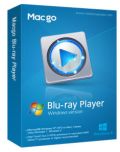
Giveaway of the day — Macgo Windows Blu-ray Player 2.10.3
L'offre gratuite du jour pour Macgo Windows Blu-ray Player 2.10.3 était valable le 8 juin 2014!

Macgo Windows Blu-ray player is excellent Blu-ray player software for Windows. It can play Blu-ray Disc, Blu-ray ISO file, and Blu-ray (BDMV) folders on all popular Windows operating systems, even on Windows 8.1. Besides Blu-ray media formats, DVD and other hot video media formats can be played with it.
Furthermore, it can magically play Blu-ray on iPhone/iPad/iPad mini/iTouch. With high-tech and functional diversity, Macgo Windows Blu-ray Player will lead you into the Windows Blu-ray fairyland.
Special 50% discount coupon code for GOTD users: 50CPGOTD
Configuration minimale:
Windows 8.1, 8, 7, Vista and XP (SP2 or later); Intel Core2 Duo 2.4GHz processor or equivalent AMD Athlon processor or higher recommended; 512 MB RAM or higher recommended; 250 MB of free disk space; An internal or external Blu-ray drive
Éditeur:
Macgo InternationalPage web:
http://www.macblurayplayer.com/windows-bluray-player.htmTaille du fichier:
47.4 MB
Prix:
$59.95
Titres en vedette
Mac Blu-ray Player is the first universal Blu-ray media player software for Apple Mac, which can successfully play Blu-ray Disc, Blu-ray ISO files, or Blu-ray folders on Mac and PC, as well as on iOS devices, such as iPhone / iPad / iPad mini / iPod touch (iTouch). Almost all kinds of video, audio, photo formats can be played with it.
All-in-one iPhone data recovery that can get back photos, contacts, messages and call history you lost for iPhone styles on Mac platform. User-friendly operation and delicate features make a perfect iPhone data recovery process on Mac OS.
Whenever you found your iPhone running slow or running out of space, you can ask help from iPhone Cleaner for Mac. It give a effective solution to clean up your device and reclaim the lost space to speed up your iPhone and get more apps, music, movies, photos.
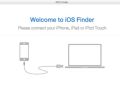
Macgo iPhone Explorer for mac is a free iOS file explore software, it is designed to access, explore and manage your iOS file system with or without jailbreaking. With the freeware, you can easily add and delete all types of file saved on your iOS devices.
GIVEAWAY download basket




offres du jour pour iPhone »




offres du jour pour Android »





Commentaires sur Macgo Windows Blu-ray Player 2.10.3
Please add a comment explaining the reason behind your vote.
Message from Macgo Software:
Installation and Registration:
1. Unzip the package you've downloaded and install the software;
2. Run the software you installed;
3. No activation, this version is special customization for GOTD users and you don't need to activate it any more;
Note: Macgo provides 50% off coupon code: 50CPGOTD (apply to All Macgo products http://www.macblurayplayer.com) for all GOTD users. Valid time: June 8th – June 23th
More tips:
How to Play Blu-ray on Windows?
For all giveaway users, Macgo also provides Macgo iPhone Cleaner for Mac, with which you can clean junks, apps, caches from you iOS devices on your Mac.
Is it incredible? Now you can enjoy it for free to June 30th.
Hope you like this offer and like our Facebook https://www.facebook.com/MacBlurayPlayer for more informaiton. Any suggestions on our software are welcomed. :D
Sincerely,
Macgo Support Team
Save | Cancel
Blu-ray menu Message from Macgo Software:
@4-JackS: Thanks so much for your interest in our software.
Referring to your issue about Blu-ray menu function, I'm sorry to tell you that this function is only available on Mac version at the present time. We will release it on Win version once Blu-ray menu function is more stable and reliable on Mac.
If you are interested on it, you can have a try on Macgo Mac version.
Save | Cancel
I only used this one to play a BD, i'm using it on my PC and Blu-ray movies watches not bad. The audio's nice, too. It plays Blu-ray ISO files, that is good for me.
Save | Cancel
Macgo Windows Blu-ray Player ==> 60 BUCKS and not updatable for FREE!
DAP PLAYER ==> FREE and always updatable for FREE!
http://www.winxdvd.com/resource/free-blu-ray-player.htm
Just to say!!
Save | Cancel
not sure if i'd pay 50 bucks for this....works fine, excellent video/audio quality playback. simple controls. the downside is, i don't see the disk menus anywhere. just a basic "play video/chapters/etcetera etcetera" control. if anyone knows how to get disk menus, tell me how. thanks
Save | Cancel