Chaque jour, nous vous offrons des logiciels sous licence GRATUITS que vous devriez autrement payer!
Giveaway of the day — RonyaSoft CD DVD Label Maker
L'offre gratuite du jour pour RonyaSoft CD DVD Label Maker était valable le 4 août 2011!
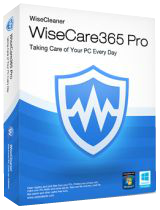
RonyaSoft CD DVD label Maker est un logiciel qui conçoit de magnifiques étiquettes et jaquettes pour vos vidéos, mp3 et ensemble de données, diaporamas photos et sauvegardes. Son interface de type assistant facile à utiliser vous permet de créer des étiquettes en quelques clics.
Le logiciel contient des modèles pré-conçus pour les étiquettes de CD et de DVD, des jaquettes CD, DVD et Blu-ray, étuis à CD papier et permet de personnaliser la taille des jaquettes.
N'attendez pas, créer vous-mêmes de belles étiquettes et jaquettes!
Configuration minimale:
Windows 2000/ XP/ 2003/ Vista/ 7/ 2008
Éditeur:
RonyaSoftPage web:
http://www.ronyasoft.com/products/cd-dvd-label-maker/Taille du fichier:
7.10 MB
Prix:
$ 19.95
Titres en vedette

RonyaSoft Poster Designer est un logiciel conçu pour créer facilement des posters, bannières et enseignes attractifs. Un ensemble de poster prêt-à-utiliser et une interface utilisateur intuitive permet de créer ses propres posters et bannières en quelques clics. Les posters créés peuvent être imprimés sur des imprimantes domestiques ou professionnelles, exportés vers des formats graphiques, sauvés pour une utilisation ultérieure et même imprimés en poster multi-pages si RonyaSoft Poster Printer est installé.

RonyaSoft Poster Printer est un logiciel conçu pour les affiches de grandes tailles, les bannières et les créations d'enseignes. Tout type d'image, photo numérique, Microsoft Word ou document Excel peut être utilisé comme source pour votre poster. Il peut créer de vastes posters de taille allant jusqu'à 10x10 mètres. Choisissez simplement une image, spécifiez la taille et envoyez la à l'imprimante.
GIVEAWAY download basket




Commentaires sur RonyaSoft CD DVD Label Maker
Please add a comment explaining the reason behind your vote.
RonyaSoft CD DVD Label Maker (all versions) allows to create Origami CD cases for free without registration.
Origami cases are often used in case of lack of CD boxes or for temporary discs.
This video shows how to create origami CD with help of this software.
http://www.youtube.com/watch?v=kWAKd210-Sg
In the video the older version is used but techique is the same, just select Origami CD Case template from template dialog.

Printing onto paper labels for CDs/DVDs isn't really recommended, as it upsets the balance of the CD/DVD, especially over time when it starts to peel off slightly.
You can get proper 'print straight onto CD/DVDs', but these usually require a special printer, which comes with its own software. You'd have to use this to design the label, then try and import it into the proprietary software for your printer. Most import images, which means small text will look quite blurry.
Handy software to keep for those 'one off' occasions when you need a sexy label, eg, a video you want to store onto DVD, etc, but otherwise, nothing beats a permanent marker.
I still use Avery Design Pro 2000 from 1999 and it still works well on Win 7 Pro x64. However, I am always on the lookout for a more up to date program that isn't unnecessarily bloated, and this just might be it. After playing around with this for about 90 minutes, it does everything I need in a small package. It doesn't have the many label templates that Avery has, but then it is only for CD/DVD. I also suspect I can move the program to my D: drive and it will still work when I reinstall or restore Windows, though I have to prove that yet.
Regarding the dangers of using paper labels on CD's, it's down to the quality of the label. I have some CD's that I put labels on 12 years ago and they still play in the home and car players frequently. The labels are still stuck like, erm, glue. :)
Why have they not implemented a lightscribe output or am I missing something here?
Nice program. Installed on Win7 64-bit. None problems at all.
Pros
- 12 Themes
- Clipart, import most used picture formats
- Different kind of shapes, freehand
- Fast (on a scale 1-10 it scores 6) and good clean visible icons
Cons
- Exports only to JPG, so you can´t use it
- Themes can´t be edited by the user
Overall the program does what it promise ! You won´t like to miss this software, unless you have a ton of them on your PC.
offres du jour pour iPhone »




offres du jour pour Android »



![[365fun] Running Man Giveaway](https://android.giveawayoftheday.com/wp-content/plugins/gotd_googleplay_plugin/images/100/2026/06/com.whitewind.runningman_app_icon_1780400784.png)

Bonjour. Si vous voulez-avoir ce logiciel en français, utilisez mon petit fichier lang à copier vers :
D:\Program Files (x86)\RonyaSoft\CD DVD Label Maker\Languages
Pour télécharger le fichier lang, visitez :
http://www.mediafire.com/download.php?b6o7k83wfqw69j2
Save | Cancel