Chaque jour, nous vous offrons des logiciels sous licence GRATUITS que vous devriez autrement payer!
Giveaway of the day — ScreenCamera 2.2.3.11
L'offre gratuite du jour pour ScreenCamera 2.2.3.11 était valable le 11 février 2011!
ScreenCamera est une caméra virtuelle, un enregistreur de bureau et un multiplicateur de webcam. ScreenCamera installe une caméra sur le système pouvant être utilisé avec Skype, UStream, et toutes les applications et sites de vidéoconférence.
ScreenCamera enregistre le bureau et la webcam en haute définition pour pouvoir créer des didacticiels de haute qualité, et pour enregistrer vos appels vidéo. En connectant votre webcam avec ScreenCamera, vous pourrez l'utiliser sur plusieurs applications à la fois.
Configuration minimale:
Windows XP/ Vista/ 7
Éditeur:
PCWinSoftPage web:
http://www.pcwinsoft.com/ScreenCamera/index.aspTaille du fichier:
3.66 MB
Prix:
$49.95
Titres en vedette
1AVCapture est la solution ultime pour la capture audio vidéo, l'enregistrement et la diffusion sur le PC. 1AVCapture est une application de capture audio vidéo puissante qui permet aux utilisateurs de capturer, enregistrer et de diffuser facilement tout ce qui peut être entendu ou vu sur le PC.
1AVMonitor est un outil tout-en-un de surveillance vidéo webcam à distance et de contrôle du bureau à distance qui permet aux utilisateurs de sécuriser leur maison, leur bureau, leurs enfants et leur PC. 1AVMonitor offre un accès à distance à l'audio et vidéo en direct, aux vidéos enregistrés et aux photos prises.
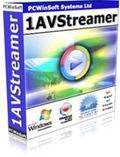
1AVStreamer vous permet de diffuser votre webcam ou votre bureau avec audio en haute résolution dans une page Web personnalisée dans votre site web. Tout est automatique et très facile à monter. Tuners TV et caméras DV pris en charge.
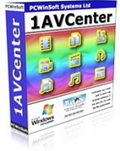
1AVCenter est une application Windows puissante qui effectue le travail de toute une bibliothèque d'applications audio et vidéo. 1AVCenter est un logiciel tout-en-un de capture d'écran, capture vidéo, capture audio, capture webcam, surveillance informatique, surveillance de sécurité à domicile, diffusion de l'écran du bureau en direct, diffusion webcam, diffusion capture vidéo, diffusion webcam Internet, et de partage de fichiers sécurisé.
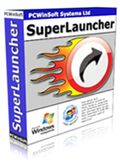
SuperLauncher est un lanceur d'applications puissant. Il vous permet de lancer vos programmes, sites web, et des dossiers favoris par des raccourcis clavier ou un clic de la souris. SuperLauncher vise à accélérer votre vie sur le PC, vous permettant de produire davantage en moins de temps et d'arriver à la fin de la journée avec beaucoup moins de stress dans votre esprit.
GIVEAWAY download basket




Commentaires sur ScreenCamera 2.2.3.11
Please add a comment explaining the reason behind your vote.
A good tool. It does what it says. I have used the previous version given here to record games and help friends via Skype, and it worked well.
However, IMO, it should provide a good lossless codec to record in AVI. I use the free CamStudio Lossless Codec v1.4, that you can download here: http://camstudio.org/
BTW, CamStudio is an excellent free alternative to ScreenCamera, but if it can record to AVI, there is no way to use it as a virtual webcam, so you cannot use it with Skype, for example.

Caution: It created about 400 new entries in the registry and drove my firewall mad during the installation process, maybe because of tests on external sites.
#3: "... asked wether this program would record (movie-)audio from the desktop... "…and if so, how? Do you need a microphone plugged in? Or does the program grab the audio together with the video... Could it be that the recording speed influences the audiostream – too high a frame rate would mean no or bad audio? Just an idea…"
If it helps...
Recording audio is easy from a technical standpoint -- I remember buying my 1st CD drive, & how it came bundled with a soundcard because back then that was how you connected the drive to the PC... it also came with a microphone. If a PC with a 286 processor running Windows 3.1 could record audio without problems, there's simply no technical reason any PC/laptop today can't do it too. Yet many can't because the manufacturer has chosen to disable many recording features as a means of DRM or copy protection. IMHO Stupid. I've read of some people getting it working by editing the registry, others have added or replaced audio drivers, many use USB devices, either soundcard replacements or video capture/TV tuners [I've seen soundcard replacements for less than $3, & devices that would also capture video for less than $10], & some just run a patch cable between the speaker/headphone out to the mic input [you can add a cheap *box* with volume control & an additional jack so you can monitor with headphones].
That said, the chip-sets that do the actual audio digitizing have/use their own clock frequencies [you see them when you set audio files to use 22 or 44.1 or 48 or 96 kHz etc.]. When you digitize video OTOH scanning or sampling is timed at completely different frequencies that *do not* match those for audio. Software &/or hardware has to account for that difference to maintain video/audio sync -- you can record video with 1 app, & *at the same time* record audio with another, & despite the fact that both are recording the same thing, *they will not exactly match* [something more obvious with longer recordings]. When captured/recorded or converted audio/video lose sync, most always software is just falling down on the job.
If you're recording video at a higher bandwidth than your setup can handle, you lose or drop video frames, but the audio [the easy part] stays constant. To directly answer the question: "... too high a frame rate would mean no or bad audio?", no, it shouldn't. It is easier for your hardware & software to write fewer frames per second to your hard drive, simply because there's less data to handle, but [unless something's broken] the end result of trying to record more than your setup can handle should just be dropped [i.e. repeated] video frames... IOW it can look terrible, but the audio should be fine.
Capturing what's on-screen means additional challenges because your PC/laptop has to both display video & screen capture it. Software also has to account for the different ways video can be displayed -- it was easier when all Windows could use was Video Overlay, but that's no longer the case. On-screen video can now use 1 of several different Direct Show renderers, depending on what software you've installed, including later versions of .NET [I just checked & in win7 I'm showing 9 different choices]. Setting/Changing which one's used by default isn't that easy. Long story short, for better video screen capture you can try different capturing apps [beside some being written better than others, they can work better/worse with different renderers], turn graphics card or chip hardware acceleration on/off *when available* [e.g. right click a Flash player window & through options in the context menus turn hardware acceleration on/off], try different players, &/or web browsers for on-line video as some use hardware accel, some don't, & they can use different renderers. You can try to have as little as possible running in Windows, & optimize writing the captured stream to disk -- a fast video codec is critical, but also mind basic stuff like not writing your capture file to a heavily fragmented hard drive, & don't target the system drive if/when possible. And while just about any PC/laptop can capture a regular video stream nowadays [the data rate via USB is not exactly earth shattering ;-) ], for screen capture the same *does not apply*, especially if you're trying to record Flash HD video -- it takes a fair amount of CPU & often GPU just to play it, & you may not have enough left.
Hi,
This software was offered June 5, 2010 here:
http://www.giveawayoftheday.com/screencamera-2-1/comment-page-1/#comment-190690
Then post no. 2 by acr asked wether this program would record (movie-)audio from the desktop. I'm asking the same question here and would add "...and if so, how? Do you need a microphone plugged in? Or does the program grab the audio together with the video without much ado?"
#58 Rayok was quite convinced at the time, that it does record streaming audio.
Something may have escaped me seeing that I didn't succeed in solving this problem then - and forgot about it afterwards...
Could it be that the recording speed influences the audiostream - too high a frame rate would mean no or bad audio? Just an idea...
Anyone out there any ideas?
Thanks!
Pat.
Let me correct myself. It DOES allow you to select a specific region. The way you select the region is just a little unconventional. It works, though! Very nice!
offres du jour pour iPhone »





offres du jour pour Android »





Tiens, un autre logiciel que je possède et pour lequel j'ai payé la licence. Je l'utilise notamment pour enregistrer des screencasts ou des conversations vidéos Skype. La version récente fonctionne bien mais j'ai parfois eu certaines dysfonctions avec des logiciels de cet éditeur, dont je possède également d'autres programmes.
Save | Cancel