Chaque jour, nous vous offrons des logiciels sous licence GRATUITS que vous devriez autrement payer!
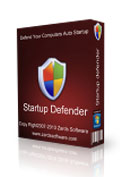
Giveaway of the day — Startup Defender 2.2
L'offre gratuite du jour pour Startup Defender 2.2 était valable le 22 octobre 2010!

Startup Defender est un petit programme qui reste dans votre barre de notification Windows et qui surveille constamment les enregistrements de démarrage sur votre PC pour vous aider à empêcher certains programmes de s'exécuter dans votre dos.
Si un programme essaie de s'inscrire au démarrage, Startup Defender vous montrera une fenêtre et vous demandera si le programme est autorisé à démarrer avec Windows. Vous pouvez aussi empêcher/autoriser des programmes qui sont présentement inscrits au démarrage. S'il y a une entrée dont vous n'êtes pas certain, vous pouvez chercher des informations sur Google pour voir s'il est dangereux et pour ensuite choisir si vous voulez le garder.
Fonctionnalités
- Accélérez votre PC en enlevant les programmes superflus du démarrage
- Bloquez automatiquement des programmes de démarrer
- Prise en charge 64 bits
- Optimiseur de démarrage qui rend votre démarrage plus rapide
- Détecte automatiquement les programmes essayant de s'inscrire au démarrage
Configuration minimale:
Windows XP/ Vista/ 7
Éditeur:
Zards SoftwarePage web:
http://www.zardssoftware.com/startup.htmlTaille du fichier:
1.25 MB
Prix:
$19.95
Titres en vedette
Cleanse Uninstaller Pro est un désinstallateur de programmes qui trouve et élimine même les programmes les plus bornés. Désinstallez plus facilement, plus rapidement et en profondeur qu'avec les autres programmes. Utilisez AutoFind en déposant l'icône du programme à désinstaller et Cleanse trouvera automatiquement le programme dans la liste et démarrera le processus de désinstallation.

GoGoStop est un gestionnaire des tâches compact pour créer et gérer l'exécution de programmes sans surveillance. GoGoStop vous aide à gérer vos tâches courantes et vous permet de les lancer automatiquement en arrière-plan. L'horaire flexible vous donne la possibilité de spécifier les dates précises de début pour une journée, semaine ou mois et l'heure exacte à laquelle vous souhaitez arrêter votre travail également chaque jour, semaine ou mois.
GIVEAWAY download basket




Commentaires sur Startup Defender 2.2
Please add a comment explaining the reason behind your vote.
Hariks. It seems pretty logical that it puts itself in the startup programs. Hows it supposed to monitor what's going into the startup menu if it's not running straight away itself?

Mike Lin's StartupMonitor and Startup Control Panel does the same (except optimizer), very tiny and for free, even on 64bit/Win7. I've used them for years, they just works even if they are oldish.
I've tried (and purchased) many programs that make promises to help tidy (and speed) up my boot process. After a while they all look the same, they all do pretty much the same job. It's not very exciting, and it is a fairly geeky process that some users just find unfriendly and intimidating.
Then I read about Soluto (Beta) which really gives me some hope for software that is designed to work the way users think. They even refer to it as "anti frustration software".
It really is worth trying out. This software makes Windows Startup sexy. http://www.soluto.com/
Soluto brings happiness to: Windows XP/Vista/7 (32bit & 64bit)
There are many free and paid alternative for this kind of product. They include Tea Timer (bundled with the free Spybot Search and Destroy anti-spyware program), Anvir Task Manager's startup monitor function, Startup Defender, etc... The problem is therefore not to find a tool to protect your startup, but to find the right one.
Autoruns by Sysinternals is probably the only tool that can list ALL apps, DLLs, DirectX filters, Services etc... that are installed on your system and can start without your explicit consent, but it has no function to monitor the changes in real time. So, it's an excellent tool to diagnose a problem, but not to protect you.
Unfortunately, as far as I know, all Startup monitors currently available monitor only some specific "regions" of your computer, such as the Startup folder of the Start menu, the Run and RunOnce keys of the registry, and sometimes the services. That's not sufficient at all to protect you efficiently (but that can help you remove most useless applications to shorten your boot time).
I don't know if today's offer is better or worse than the other products, but I'm sure it doesn't monitor everything. Also, Soluto (recommended by BuBBy in post #7) might be a better choice, as it has apparently some powerful tools to determine which app slows down your startup, it can delay them to start later, when the other apps have finished loading, and the community can comment on the usefulness of each app. However, take in mind that NONE of these tools are real anti-malware programs. You can use them to remove startup items if you think they are useless, dangerous, intrusive or too resource hungry, but none of them can tell you exactly if an application is a malware or not. For example, the Google Updater (installed with most Goggle products, including Google Chrome) might be considered as a malware (for privacy reasons) or as an important thing (because it will inform you when a new version of Google Chrome is available and using an outdated web browser is a hole in your protection). The startup monitors are just helpers, but it's finally YOU and your brain that will take the decision to leave or remove the app from the startup!
@8 - Alan, I'm sure what they mean is Startup Defender provides you with the tools to remove Trojans, Adware (or any program really) from your startup. They don't claim all Trojans and Adware will automatically be removed - but Startup Defender can be used as a tool to remove these nasties (You will be doing the driving).
offres du jour pour iPhone »





offres du jour pour Android »




"AnVir Task Manager Free" le fait, il me semble (et bien plus, depuis bien longtemps) :
http://www.anvir.com/taskmanagerfree/
Je ne veux pas critiquer le logiciel proposé car bien sûr non testé !!!
Bye.
Save | Cancel