Chaque jour, nous vous offrons des logiciels sous licence GRATUITS que vous devriez autrement payer!

Giveaway of the day — WinUtilities 9.4 Pro
L'offre gratuite du jour pour WinUtilities 9.4 Pro était valable le 11 mars 2010!
WinUtilities est une collection d'outils pour optimiser et accélérer votre performance système. La suite contient des utilitaires de nettoyage registre, de fichiers temporaires, efface vos historiques, cache et cookies d'applications et de fureteur internet. Il prend aussi en charge la défragmentation des disques durs et l'amélioration de la performance et de la stabilité du PC.
StartUp Cleaner vous permet de contrôler les programmes qui se lancent au démarrage de Windows, de trouver des fichiers dupliqués, réparer des raccourcis brisés et désinstaller des logiciels superflus. Les autres fonctionnalités comprennent suppression fichier sécuritaire, déchiquetage de la corbeille, planification des tâches et restauration des fichiers supprimés.
Configuration minimale:
Windows 7/Vista/XP/2003 Server/2000/NT/98
Éditeur:
YL ComputingPage web:
http://www.ylcomputing.com/content/view/9/27/Taille du fichier:
6.59 MB
Prix:
$39.99
Titres en vedette
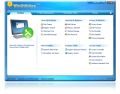
WinUtilities All In One System Optimization Suite. Suite d'optimisation et de nettoyage système tout-en-un. Plus de 20 utilitaires lauréats en un paquet. 100% gratuiciel!
Commentaires sur WinUtilities 9.4 Pro
Please add a comment explaining the reason behind your vote.
This program contains all of the basic features of th program Advanced SystemCare Free, and then some. However, to get the same amount of tools contained in this all in one program for free, you would have to download programs such as Revo Uninstaller, SiSoft Sandra, Par and Rar, etc.
Taking a look into the Cleanup and repair, you have a Disk Cleaner, Registry Cleaner, Shortcuts Fixer, and an uninstall manager. When using the Disk Cleaner, pay close attention to the results, and manually remove any legitimate files from its scan, so you dont accidentally delete a program file. Some legit program files do have the same file extension of a junk file. The Registry Cleaner and Shortcuts Fixer , are average, and work in the same manner as the utilities of the same feature belonging to the program Advanced SystemCare Free. It is not clear how this program does a more effective and accurate job at these tasks versus the freeware utilities out there. Uninstall Manager? No, this is not a replacement for Revo Uninstaller. It just reads the registry and asks you what you want to uninstall.
The optimize and improve section allows you to defragment , control what items are at startup, and optimize the memory being used on the system. If you do not do a lot of gaming, you may find this very effective when you have 1GB, especially running a netbook, you would be surprised at how efficient it manages the memory. As far as the disk defragmenter, it is fully customizable with features, such as quick optimize, full optimize, partial optimize, and you can specifiy certain files and directories to not defrag if you choose.
Privacy and Security basicially looks after your computer by password protecting EXE Files so other users do not have access to your private programs. A history cleaner , which cleans up your tracks, in one swoop, also comparable to the effectiveness of ASC Free.
I could go on and on about this software, but for the simplicity this program uses and all the features it has to offer, I would say this program is worth the money they are asking for it.
Like I said if you are a beginner to computers please take the time to read its directions :)
Experts however, who are technically savvy, and know what they are doing, can skip this program if they choose, and load up all these freeware programs that this all in one solution can do, and then some. But that would just make you a system bloater just like the OEM... :P

This is an extensive collection of (IMHO) fairly mediocre tools.
For the standard faire: The reg cleaner is(IMHO)too aggressive (especially for a suite aimed at NOOBs) & the cleaners SAY they *erase* but they (evidently) really only *delete* (the difference is that the deleted data is gone in name only and can be retrieved). MOST dedicated cleaners and many of the competitive suites actually DO erase or offer the option of erasing.
The reg search is, well, disappointing. It took about 3x longer than my favorite standalone tool (Resplendant Registrar) and found less.
Haven't tested other things like the disk defragger.
For the exotica: WU throws everything but the kitchen sink in here; more than competitive suites. For convenience, that's OK. For worthiness, things like the "exe protector" are probably questionable. IMHO, the exotica here is not a reason to use this program.
Verdict: IMHO I think stand alone programs are better than this collection. Ccleaner (the junk/history portion anyway), for one. You can find an extensive list and reviews of other freeware standalone programs to replace this here
http://www.techsupportalert.com/
For suites, there aren't many freeware offerings, and that's not a bad thing because MOST suites are (like I say) inferior to standalones. If you insist on using a suite, though, and you want a free program, there's a recent (though not absolutely current) version of JV16 floating around that is also a payware giveaway which is (IMHO) MUCH better than this (and no worse than the current version).
Vs other freeware, this is probably better than Glary (and it IS better than the freeware version of this program that used to be called Perfect Utilities and is now just WinUtilities Free).
For quality tools in a payware suite, it's hard to beat Tune-Up Utilities, IMHO.
I discovered a problem with PRO 9.41 that was not resolved by updating to PRO 9.44 as you may discover at their forum here: http://www.ylcomputing.com/forum/viewforum.php?f=5
Martin
Updated my previous version nicely. This is one of the better system utilities around, along with Glary, Advanced SystemCare, etc.
As usual there are areas that need to be treated with a degree of caution, but before the doom-mongers start, I do not think there is anything inherently dangerous about this type of program, provided it is a recognised one, and not the result of a pop-up saying your PC is infected with everything including typhoid.
You must set a System Restore. The good programs do a backup of all deleted items anyway, so mistakes can be rectified.
Other than that, happy cleanups!
@ Malka @ #17:
Be happy you're a novice -- or rather, a novice with some commonsense: the rush to grab and use umpteen different utilities suites on one computer is a recipe for disaster somewhere down the line.
Re your specific query. CCleaner. Contrary to what you and others keep being told by (presumably) people who have no idea what CCleaner actually is, it's not a simple "cleaner" and hasn't been for quite a while.
Rather, it's mini-suite. OK?
It can clean junk, it can sort out registry errors, it can help you edit your start-up menu, it provides an instant history of your restore points, and it does a much quicker uninstall than the Windows standard routine. (Though obviously, Revo it ain't.)
Over time, CCleaner has been progressively refined to the point where its junk cleaning routine is amongst the safest out there -- and its reg cleaner, too, is likewise amongst the least aggressive.
And it's here that "aggression" is truly dangerous, because I see example after example of utilities software applied by users who really don't know what they're doing but who think that the more "faults" the software finds on their machine, the better that software truly is.
Utter rubbish.
What the software "finds" is what its developer has decided it should "find". And if that developer is a reckless idiot, or incompetent moron -- and there's plenty enough of them around -- then what can happen is that the software "finds" stuff which should actually be left entirely alone.
But the innocent user doesn't know that. She / he happily clicks the button to clean up and next stop, bang! One bust computer (or seriously impaired.)
One day someone, somewhere, may perhaps pull together the worldwide total of computers which have been impaired or wrecked by software ostensibly intended to make 'em better. The total must run into hundreds of thousands. Or millions.
My advice to you then is this:
1) Take advantage of today's excellent GOTD offer. Download and install within the time period and activate your registration. Do not, however, use this suite today. Instead:
2) CCleaner mini-suite If you don't already have it, then download and install it and read the stuff about how to use it and then, er, use it. It's robust, gentle, dependable, and provides for user back-up (always, but always, say 'yes' when CCleaner asks if you wish to back-up.)
Will CCleaner 'out-perform' other freeware apps in the statistical sense? (That is, will it find more files to delete than rival software?) No. It won't. And that's exactly why you should use it: better to run an app which brushes gently through your computer than one which goes off like a nuclear bomb.
As a sensible novice, there's absolutely no need for you to rush lemming-like into what seems to be a mass obsession amongst so many computer users that their machines should be utterly and completely 'cleansed' of every possible redundant file.
(These are the people who will likely run several gigabytes of duplicated audio and video files on their hard drive because it's too much of a faff to sort 'em. . . but because there's some kind of 'quick fix' button on a utilities app, they'll instantly hit that and wipe out a fraction of a megabyte of disk space that then renders their machines unuseable.)
So. Spare yourself that kind of grief, Malka. Use CCleaner and only when you're happy with it / happy that you know what you're doing, then use today's GOTD offering (by the way, as utility suites go, today's is one of the best.)
Good luck.
offres du jour pour iPhone »





offres du jour pour Android »





Bonjour
A mon avis il est dommageable que les commentaires manquent de clarté et de pertinence et que certain internaute n'aient pas la politesse d'écrire correctement !
Pour le reste il est vrai que se sont régulièrement les mêmes logiciels qui reviennent, ce qui pourrait a moyen terme diminuer de façon considérable l'intérêt de ce site.
Bien à vous
yves
Save | Cancel
c'est très étrange de réaliser ceci: en qlqs semaines , j'ai l'impression d'être dans un autre forum avec d'autres gens
Save | Cancel
Suite peuy etre complete mai cependant beaucoup moins simple a utiliser que glary utilities pour le meme genre de logiciel
Save | Cancel
je ne connais pas ce logiciel...
Save | Cancel
http://www.korben.info/ospy-sniffer.html
Save | Cancel
c'est toujours les mêmes logiciels qu'on voit sur ce site.
a chaque nouvelle mise à jour , hop , nouvelle offre
il y a une version gratuite. je n'ai pas trouvé les différences
Save | Cancel
boitaout’s
Install qui en fout de partout et desinstall foireuse (demande à virer des fichiers que le setup n’a même pas installé)
Pleins d’outils assez classiques dont certains sont plutot bien foutus (search registre) et d’autres plutot mal (startup control, uninstal)
N’est pas nomade (registrage touffu de quelques dll)
Tentative d’accès chez l’hebergeur
Pour le suivi (quasi hebdomadaire) des correctifs c'est là
Save | Cancel