Chaque jour, nous vous offrons des logiciels sous licence GRATUITS que vous devriez autrement payer!
Giveaway of the day — 4Videosoft Video Converter 6.0
L'offre gratuite du jour pour 4Videosoft Video Converter 6.0 était valable le 16 avril 2016!
4Videosoft Video Converter est le convertisseur multifonctionnel de vidéo le plus professionnel, qui prend en charge tous les formats vidéo et audio, y compris SD, HD et des vidéos 4K UHD. Il convertit des vidéos à d'autres formats vidéo et audio (MP4, M4V, WMV, MOV, AVI, MKV, FLV, MP3, WMA, etc.) pour la lecture sur les lecteurs portables (iPhone SE, iPhone 6 Plus / 6s Plus, iPhone 6 / 6s / 5 / 5s / 5c / 4S / 3GS, iPad Pro / Air, iPod touch, iPad Mini, Mini iPad 2, iRiver, PSP) et d'autres appareils portables.
Ce programme donne une nouvelle fonction qui vous permet d'améliorer la qualité vidéo. Il vous offre un écran clair et propre en augmentant la résolution et en supprimant les bruits de vidéo. En outre, il peut couper / fusionner / pivoter / convertir en 3d / mettre en filigrane / modifier les effets audio et vidéo pour votre plaisir.
4Videosoft fournit un code promo de 50% de réduction: VIDEGOTD (applicable aux produits recommandés et d'autres produits) pour tous les utilisateurs de GOTD .
Configuration minimale:
Windows 2K/ XP/ Vista/ 7/ 8
Éditeur:
4Videosoft StudioPage web:
http://www.4videosoft.com/video-converter-platinum.htmlTaille du fichier:
48.8 MB
Prix:
$39.95
Titres en vedette
4Videosoft DVD Copy est le logiciel de clonage et de sauvegarde pour copier un disque DVD maison, dossier DVD et fichier image ISO. Il peut faire une sauvegarde de films DVD maison à dossier DVD et fichier image ISO sur PC, et graver des fichiers de dossier DVD ou image ISO locales en DVD, compatible avec la plupart des types de disque DVD. Maintenant obtenez 4Videosoft DVD Copy avec le code promo de réduction de 50%: Videgård
4Videosoft DVD créateur fournit la meilleure solution pour convertir tous les formats vidéo populaires tels que MP4, MOV, AVI, WMV, 3GP, MKV, MTS, etc. sur un disque DVD, dossier DVD et fichier ISO. Ce DVD Creator vous permet de personnaliser le menu DVD en choisissant le modèle de DVD, fond, style de cadre, le type de bouton et le titre du contenu. Maintenant obtenez 4Videosoft DVD Creator avec le code promo de réduction de 50%: Videgård
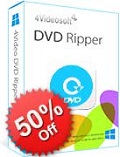
4Videosoft DVD Ripper est le meilleur logiciel de lecture de DVD pour lire DVD en AVI, MP4, MOV, AVI, MKV, FLV, VOB, 3GP, etc. même des vidéos HD sont inclus. Avec la vitesse de lecture de DVD super rapide, vous pouvez jouer votre vidéo sur votre lecteur portable comme l'iPhone SE, iPhone 6 Plus / 6s Plus / 6 / 6s / 5s / 5 / 5c / 4S / 4 / 3GS, iPad Pro / Air / mini- , iPod, BlackBerry, PSP, etc. Maintenant obtenez 4Videosoft DVD Ripper avec le code promo de réduction de 50%: Videgård
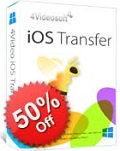
4Videosoft iOS Transfer est le logiciel de transfert de fichiers iOS professionnel pour transférer des fichiers iPhone. Vous pouvez non seulement transférer plusieurs types de fichiers, y compris la musique, des vidéos, des photos, des sonneries, etc. entre iPhone / iPad / iPod et PC, mais également transférer des fichiers entre les appareils iOS, et même synchroniser des fichiers vers iTunes. Il peut sauvegarder des messages SMS et des contacts à votre PC pour la sécurité. Maintenant obtenez Transfer 4Videosoft iOS avec le code promo de réduction de 50%: Videgård
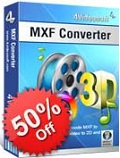
4Videosoft MXF Converter est spécialement conçu pour transcoder le fichier MXF enregistré par Panasonic P2, Sony XDCAM, Canon XF caméscope en MP4, WMV, AVI, MOV, MTS, MKV, VOB, FLV, etc., même la vidéo HD pour une édition ultérieure sur Adobe Premiere , Avid Media Composer, Sony Vegas et d'autres logiciels de montage vidéo. Avec ce convertisseur professionnel MXF, vous pouvez également convertir MXF à tous les formats audio populaires comme MP3, AIFF, AAC, FLAC, WAV, M4R, etc. Maintenant obtenez 4Videosoft MXF Converter avec le code promo de réduction de 50%: Videgård
GIVEAWAY download basket




Commentaires sur 4Videosoft Video Converter 6.0
Please add a comment explaining the reason behind your vote.

In a software sector as over-saturated as video conversion, it's helpful to at least have some idea of what's around as both freeware and payware:
http://www.techradar.com/news/software/applications/best-free-video-converter-12-on-test-1059245
http://www.safetricks.com/best-video-converter-software-for-pc
And as so many products are derived from a masterwork freely resourced and continually improved by a global community of contributing developers -- the Open Source FFmpeg -- then knowing something about the tree from which all those (often expensive) branches have grown is also useful:
https://www.ffmpeg.org/about.html
Today's 4Videosoft Video Converter 6.0 is commercial software that though free today inevitably comes with a sticker price that will have to be borne if ever a re-install is required. You can, therefore, consider paying yer money and making yer choice if that day ever comes along.
Or you can equally consider never paying any money at any time for any video conversion software at all, and be your own 'developer':
http://www.techradar.com/news/software/applications/how-to-build-the-ultimate-media-converter-no-experience-required--1274397
That link is to an excellent TechRadar article first published back in November 2014. I've recommended it to many a friend and colleague, and see no reason not to do so here today. FFMpeg does not require anyone to be a coding genius.

played with this one before, total waste of money. All their "tools" to improve video did absolutely nothing, and the converted videos only played for half of the video length. I highly doubt much has changed in three weeks since I wasted money on this one. Hopefully, someone here will have better luck I managed. Has a really easy to use interface and isn't complex in the slightest bit (at least to me), I only had the main issues of never being able to watch the second half of the video (regardless of size. From a 5 second clip to full length movie, always right at the half way mark the video just stopped like it was at the end) and the failure of the "enhancing" features.
Levitiquetus,
Downloaded and did a quick test, much to my surprise I have exactly the same problem regarding length. Mine only did about one third of the length correctly after which I just got coloured squares.
The enhancement did modify the image on the short bit it correctly converted.
All in all a very big disappointment on XP SP 3 OS.
Levitiquetus, Thanks for the heads up, if that's what you get with a paid for version I think I'll give this a miss today. Did you contact their customer support for help or even a refund. I'd be interested to hear what happened?
In my previous comment stated problems regarding length of video and I wondered after it was the video codec used on the conversion from MP4 to Avi using the default codec.
Tried another test using FLV to Avi via H264 and had no problems with the output.
Decided to try with MP4 to Avi again using H264 the result was a disaster, an overlay telling me the aspect ratio kept appearing and the aspect ratio of the video kept changing.
An extremely buggy piece of software that needs fixing.
Just a quick word about enhancement, Aiseesoft does a very similar converter that uses it and it does considerably improve the perceived visual quality of the output.
It does it so well that often I'll convert a video just to make it more pleasing to the eye.
offres du jour pour iPhone »





offres du jour pour Android »





Impossible de télécharger, avec le link envoyé par mail non plus !
Save | Cancel