Chaque jour, nous vous offrons des logiciels sous licence GRATUITS que vous devriez autrement payer!
Giveaway of the day — Batch Picture Resizer 9.1
L'offre gratuite du jour pour Batch Picture Resizer 9.1 était valable le 16 août 2019!

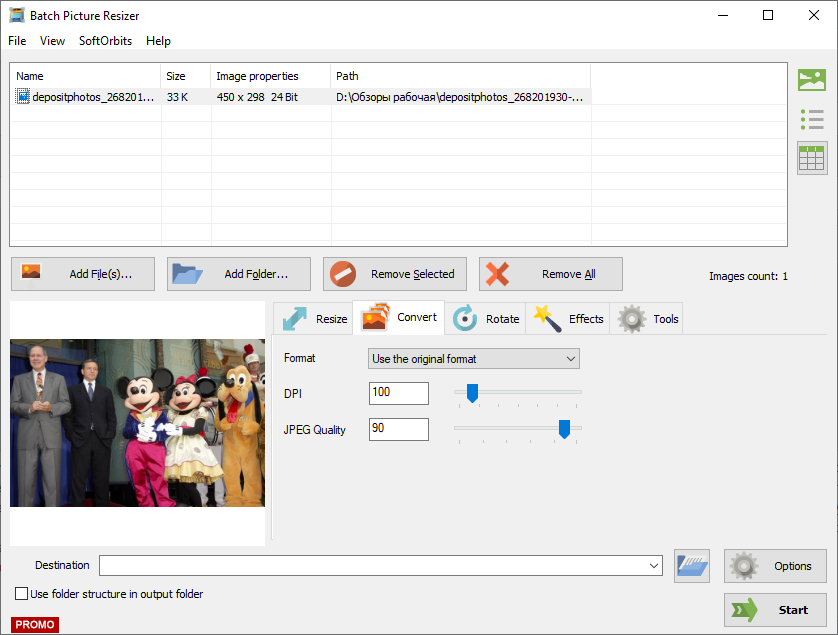
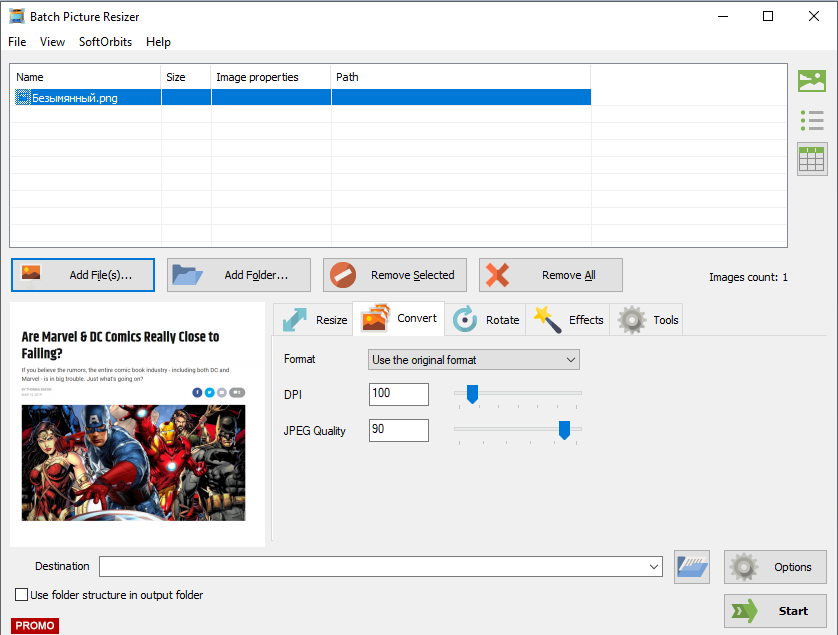
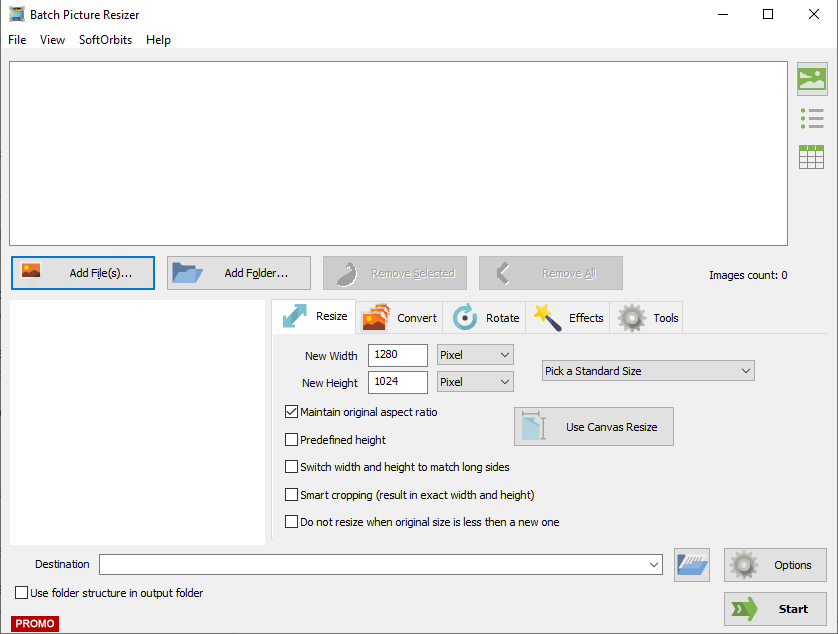
Un traitement par lot d'images est un logiciel que toute personne travaillant avec des photos numériques trouvera extrêmement utile. De nombreuses personnes utilisent des logiciels d'édition d'images complexes et coûteux pour redimensionner les photos et résoudre d'autres problèmes simples, car il n'a pas été trouvé de solution beaucoup moins chère, plus rapide et plus efficace. De plus, redimensionner les images manuellement, une par une, peut prendre énormément de temps, en particulier lorsque vous avez des centaines, voire des milliers de photos à redimensionner. Une solution est une petite application conviviale puissante appelée Batch Picture Resizer. Avec ce programme simple et peu coûteux, vous pouvez redimensionner rapidement n’importe quelle quantité d’images. Le programme de redimensionnement d’images peut être utilisé pour réduire la taille de vos photos afin qu’elles soient mieux adaptées à la publication sur Internet, à la messagerie électronique, à la famille et aux amis ou simplement pour économiser de l’espace sur votre disque dur. La plus haute qualité possible est également préservée dans les fichiers. Le traitement par lots d'images permet également de modifier rapidement les niveaux de couleur de vos photos ou d'ajouter du texte et des filigranes à un groupe de photos.
Achetez une licence personnelle illimitée (avec support et mises à jour) à 70% de réduction! .
Configuration minimale:
Windows 7/ 8/ 10
Éditeur:
SoftOrbitsPage web:
http://www.softorbits.com/batch_picture_resize/Taille du fichier:
22.4 MB
Prix:
$39.99
Titres en vedette
Sketch Drawer est une sorte d’outil logiciel de retouche photo conçu pour convertir des photographies en croquis au crayon. Ce programme permet aux utilisateurs de réaliser des photographies usuelles en superbes images dessinées au crayon, en noir et blanc et en couleurs. Lors de la création d’une esquisse au crayon, vous pouvez choisir vos paramètres et options préférés. Vous pouvez modifier des photos avec SoftOrbits de deux manières: manuellement et à l'aide de préréglages prédéfinis. Ces préréglages peuvent être utilisés comme guides par les débutants.
Photo Stamp Remover est un utilitaire de correction photo permettant de supprimer les filigranes, les timbres à date et autres objets indésirables apparaissant sur les photos. Offrant un processus entièrement automatique, le programme utilise une technologie de restauration intelligente pour remplir la zone sélectionnée avec la texture générée à partir des pixels entourant la sélection, de sorte que le défaut se fonde naturellement dans le reste de l'image.
Achetez une licence à 70% de réduction! 
La gamme de produits SoftOrbits Digital Photo Suite fournit des solutions de données pour la retouche, le redimensionnement, la conversion, la protection et la publication de vos photos numériques. Achetez une licence personnelle à 70% de réduction!
GIVEAWAY download basket




offres du jour pour iPhone »





offres du jour pour Android »





Commentaires sur Batch Picture Resizer 9.1
Please add a comment explaining the reason behind your vote.
But why installing a one trick pony?
IrfanView does this for free and perfectly (easy).
www.irfanview.com
Save | Cancel
You can also rotate photographs and convert them to grayscale, normalize colors, rename files, add watermarks, change the canvas size and viewing mode, pick a different language for the interface, as well as configure image options (e.g. GIF compression), and more.
Personally I find it far easier to use the context menu resizer ( ImageResizer tool - https://www.digitalred.com/support/windows/image-resizing/) and use other graphic programs to do the other changes to photos.
Save | Cancel
So sign up to get the Activation code isn't hard yet you do haft to sign up for an account. More effort than is needed.
The installation was easy after the registration, however. The uninstall was slightly concerning as the option through windows default is not there at least for me until I do a restart.
The content of the software is very simple. Has a lot of very simple things on the forefront for people who are less knowledgeable.
Diving into the other options it carry's this on. Simple and well-presented UI with simple results to your work.
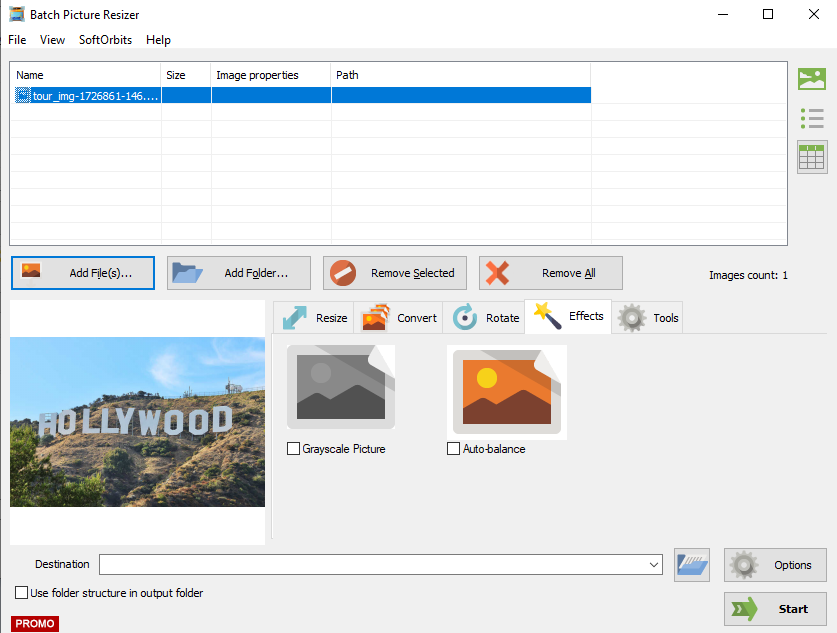
The Effects is underwhelming. You start with two options and no way of telling you or giving you more. (Even if you paid) For example Vignette, Bloom and such filters/effects.
However, the effects that it does have do have quite an impact.
Additional issues that have cropped up are that when resizing on the preview screen it has no effect and occasionally removes all menus. To fix this just press ENTER. The only way to view the result is to actually click on the preview and it'll pop up.
Overall it has issues but can do the simple tasks. If your looking for something that is more specific and specialised then this is not it. However, personally, I find it useful if you are trying to make a wallpaper for your phone for example.
Save | Cancel