Chaque jour, nous vous offrons des logiciels sous licence GRATUITS que vous devriez autrement payer!

Giveaway of the day — Black Bird Image Optimizer 1.0.3
L'offre gratuite du jour pour Black Bird Image Optimizer 1.0.3 était valable le 4 août 2018!

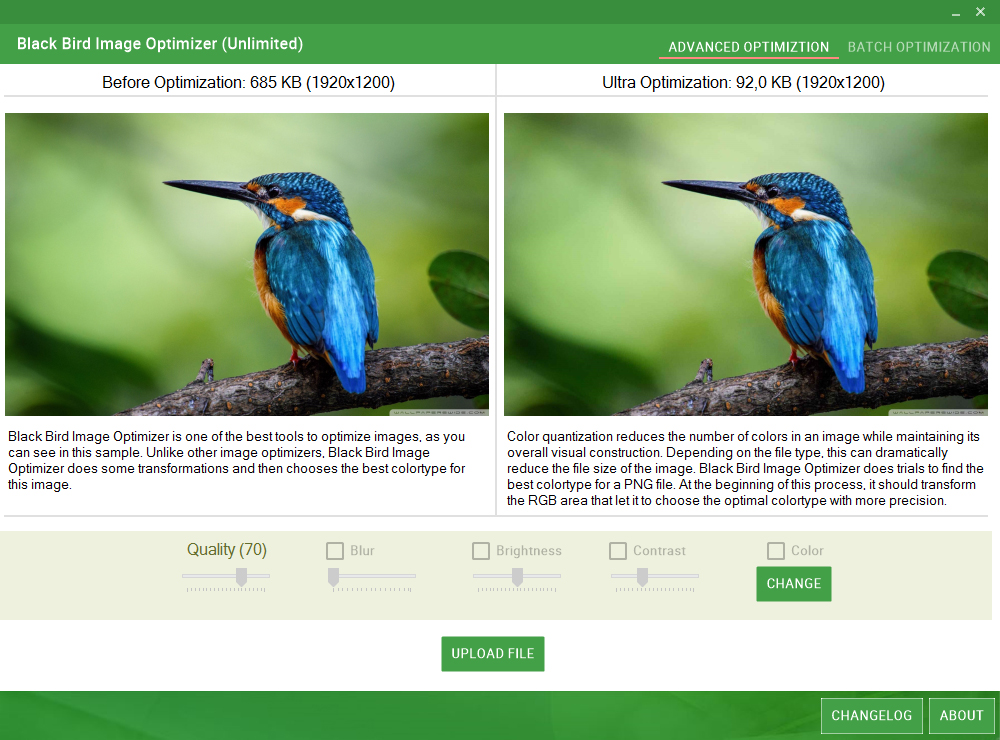
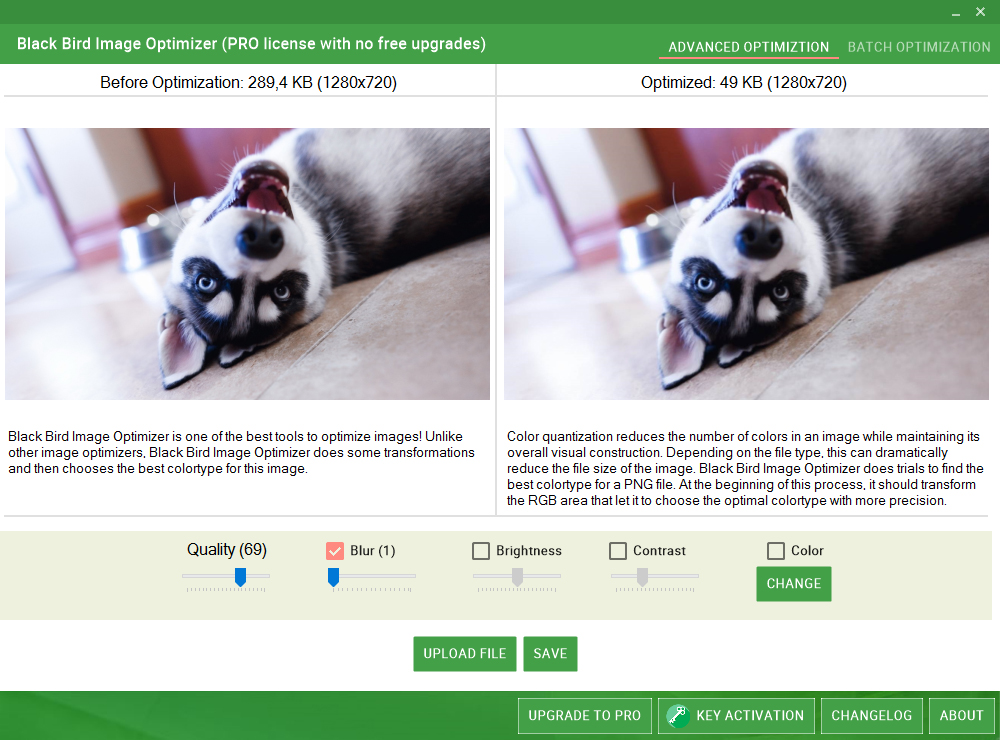
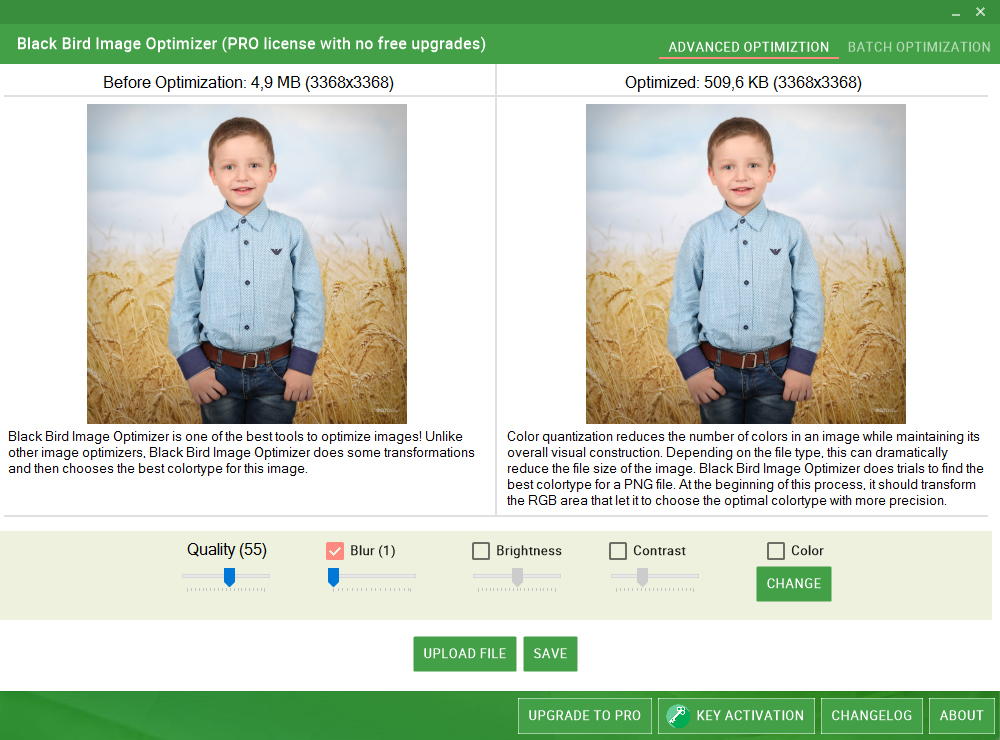
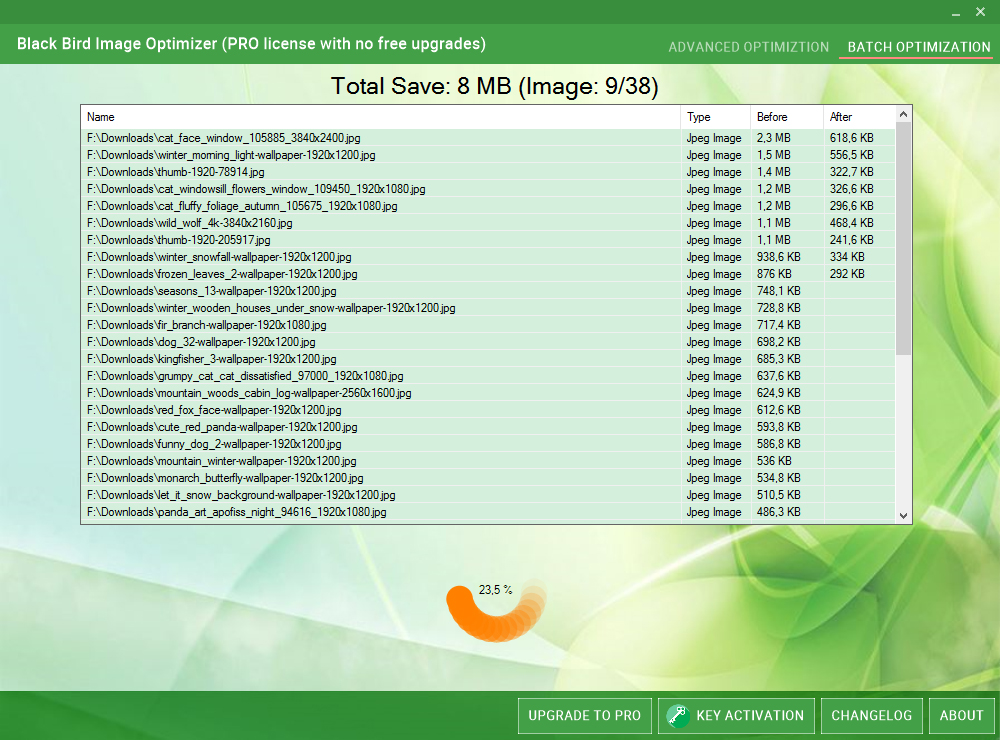
Avec Black Bird Image Optimizer - vous pouvez réduire la taille de vos photos à plusieurs reprises sans perte de qualité!
Nous utilisons des algorithmes de quantification de couleurs complètement nouveaux qui sont capables de réduire la taille des photos sans perte de qualité.
En outre, Black Bird Image Optimizer élimine les métadonnées à partir d'images.
Et beaucoup d'autres fonctionnalités ...
Informations sur la licence: Licence 1 an / 1 ordinateur
-Mise à jour de la politique: pas de mises à jour gratuites
Politique de support technique: support technique gratuit (le support technique premium n'est pas disponible)
-Ré-installation de la politique: peut être enregistré après la fin de la promotion.
Configuration minimale:
Windows XP/ Vista/ 7/ 8/ 10; .NET Framework 4.0
Éditeur:
Black Bird Cleaner SoftwarePage web:
http://blackbirdcleaning.com/Taille du fichier:
1 503 KB
Prix:
$34.95
Titres en vedette

Black Bird Cleaner scanne intelligemment chaque pouce de votre PC, puis supprime toute déchet qu'il trouve. Et, il ne sélectionne que des fichiers 100% sûrs à supprimer, de sorte que vous ne devrez jamais vous soucier de supprimer par erreur. Nettoie plus les déchets que les autres! Grâce à des algorithmes complètement nouveaux et à une approche complètement différente, Black Bird Cleaner nettoie plus de déchets que d'autres. Cache clair dans plus de 50 navigateurs . Recherchez également les anciens fichiers de mise à jour et les anciens programmes d'installation de navigateur!

Qu'est-ce qu'un nettoyeur de registre? Son but est de garder votre registre de Windows bien rangé, efficace et aider les applications à fonctionner sans accroc. Une fois que votre registre a été nettoyé, vous remarquerez probablement une amélioration des performances et tous les messages d'erreur que vous avez vu lors de l'utilisation de votre ordinateur auront disparu. Registry Cleaner supprimera les entrées pour les applications inexistantes et corrigera également les entrées invalides ou corrompues. Vous trouvez que votre ordinateur démarre beaucoup plus rapidement aussi!

Votre ordinateur sait presque tout de vous! Et que savez-vous de votre machine? Obtenez les informations du système Black Bird et découvrez le maximum d'informations sur votre PC!
- Informations complètes sur la batterie, le CD-ROM, le clavier, l'imprimante, la souris, l'USB etc. de votre ordinateur.
- Informations complètes sur votre matériel et votre processeur.
- Tout sur la carte vidéo de l'ordinateur.
- Tout sur les propriétés audio du PC et le pilote audio.
- Informations complètes sur votre réseau, Internet, votre carte réseau et vos protocoles réseau.
- Tout sur votre carte mère, votre mémoire et votre BIOS.

Perfecto Encryptor cryptera vos données rapidement et en toute sécurité! Ne te sens-tu pas en sécurité? Ne pouvez-vous pas contrôler la protection de vos informations personnelles d'autres utilisateurs? Ce programme unique vous aidera à garder l'un de vos fichiers et dossiers sous forme cryptée. Et seulement vous pourrez décrypter vos fichiers. Avec notre logiciel, vos informations seront complètement protégées des autres utilisateurs et vous vous sentirez complètement en sécurité.
GIVEAWAY download basket


Commentaires sur Black Bird Image Optimizer 1.0.3
Please add a comment explaining the reason behind your vote.

.
The goal is [ minimizing ] with minimal visual quality loss, usually for making web uploads fast, the goal is not [ optimizing ].
I find the blur, contrast, brightness, and color features in this offering of BlackBird Image Optimizer blundering and useless, but the individual file auto size reduction -- [ minimizing ] with minimal quality loss ] -- is excellent, and it offers to save as a new name in a new location, I compared [ Quality 33 ] to other programs -- you must resize an image using another program first.
I prefer FREE Beamr JPEGmini as a stand-alone for JPEG file auto and batch minimizing, free for 20 images a day, just change your computer's date for 20 more, and so on, or pay $29US for unlimited -- but you must make copies first because it overwrites any file given to it, you must resize an image using another program first.
I prefer FREE IrfanView for JPEG file manual and batch minimizing because I can also tweak sharpening, contrast, gamma, saturation, dimensions, 1x1 pixel chroma sub-sampling, progressive JPEG, rename, and select new location for output files, leaving the originals unscathed.
FREE Google Picasa also has batch auto contrast, color, sharpening, and output quality to a new destination, leaving the originals unscathed.
Note that the FREE alternatives -- JPEGmini, IrfanView, Picasa ( and many others ) -- are more powerful, and FREE IrfanView and Picasa ( and many others ) offer way more features.
.

Be careful. I tried to optimize about a batch of 100 photos. It gave me an error on each picture. So I had to click ok (the only option) on each error. Then it only gave me the option to clear batch. I did and it erased my pictures!
.
[ Perryntx ],
Great reminder lesson -- always test on COPIES -- thanks.
.
Perryntx, Yes my 111 pictures are gone. WTF! Not in my recycle bin. I guess they disappeared somewhere in the internet. I'm uninstalling. It optimized mine to zero.
Perryntx: The fact that the recycle bin isn't displaying them doesn't mean those 111 images are gone. The fact that you can't find them doesn't mean they're 'somewhere on the internet', either: you'd have to be running a very strange set-up indeed if the consequence of an unsuccessful batch re-sizing tossed everything straight into cyberspace.
You need to use a freeware recovery app like Recuva Portable as soon as possible. Download it to a USB memory stick and run it from there. (NEVER install recovery software on a hard drive from which images have just been 'lost' otherwise the recovery installation itself might well over-write the very files you're trying to retrieve.) More information here:
https://www.ccleaner.com/recuva/features/portable-version
If you already have 'Search Everything' on your PC -- and really, there's no reason why every computer user, everywhere, doesn't have this little freeware gem -- then of course, use it before any kind of recovery attempt to seek out all the image files on your computer and order them by date.
For future reference, if you don't already have it, go here:
https://www.voidtools.com/
offres du jour pour iPhone »





offres du jour pour Android »





Je ma pose la question de l’utilité de débourser 35€ pour réduire les couleurs d'une photo? prenons juste FastoneImageViewer on sélectionne une photo (il y a un navigateur intégré sur les images)on prend couleur et on obtiens divers niveau pour la palette (256,128,...2) et ceci sur un soft gratuit.
pour les métadonnées une petite recherche sur EXIF vous proposera un panel d'outils de la modification à la suppression en passant par la sauvegarde de ces métadonnées
PS il me semble que BBIO est déjà passé par GOTD
Save | Cancel
David, ... il me semble que BBIO est déjà passé par GOTD
OUI...C'est ici :
https://fr.giveawayoftheday.com/?s=Black%20Bird%20Image%20Optimizer
Save | Cancel
gya, exact et déjà à la dernière publication j'ai émit un avis ... dirons nous plutôt négatif
Save | Cancel