Chaque jour, nous vous offrons des logiciels sous licence GRATUITS que vous devriez autrement payer!
Giveaway of the day — Driver Magician
L'offre gratuite du jour pour Driver Magician était valable le 30 août 2011!

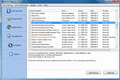
Driver Magician offre une solution professionnelle pour la sauvegarde de vos pilotes de périphériques (drivers), la restauration, la mise à jour et la suppression dans le système de fonctionnement Windows. Il identifie l'ensemble des matériels dans le système, extrait leurs pilotes associés à partir du disque dur et les sauvegardent à l'emplacement de votre choix. Puis, quand vous formatez et réinstallez/mettez à jour votre système de fonctionnement, vous pouvez restaurer l'ensemble des pilotes "sauvés" simplement comme si vous possédiez les diskettes originales
Principales fonctionnalités:
- Sauvegarde les pilotes de périphérique de votre ordinateur en quatre modes.
- Restaure les pilotes de périphériques à partir de la sauvegarde en un clic de souris.
- Met à jour les pilotes de périphériques de votre PC pour améliorer la performance et la stabilité du système.
- Désinstalle les pilotes de périphériques.
- Détecte les périphériques inconnus.
- Clone tous les pilotes vers un package de sauvegarde automatique (.exe), afin que vous puissiez restaurer les pilotes sans installer Driver Magician.
Configuration minimale:
Windows 98/ ME/ 2000/ XP/ Server 2003/ Vista/ 7
Éditeur:
GoldSolution SoftwarePage web:
http://www.drivermagician.com/Taille du fichier:
4.71 MB
Prix:
$29.95
Titres en vedette
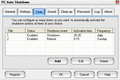
PC Auto Shutdown est un logiciel pratique qui vous aide à arrêter automatiquement, éteindre, redémarrer, mettre en veille prolongée, suspendre ou fermer une session à une période que vous planifiez. Il peut arrêter l'ordinateur à un temps planifié lorsqu'aucun utilisateur n'est enregistré ou quand l'ordinateur se trouve dans un mode d'économie d'énergie. Il donne des moyens différents pour planifier un événement d'arrêt selon vos besoins.
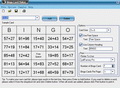
Bingo Card Maker est un outil facile à utiliser pour créer et imprimer des cartes de bingo aléatoires et personnalisées. Il est spécialement utile pour les enseignants et les parents souhaitant créer des cartes de bingo éducationnelles pour les étudiants et les enfants.
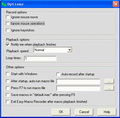
Easy Macro Recorder est un utilitaire pratique qui fait faire des tâches automatiquement à votre ordinateur. Il enregistre l'ensemble des opérations de la souris et des touches, le sauvegardent comme fichiers macros, puis Easy Macro Recorder peut relire les macros enregistrés afin d'automatiser votre travail un grand nombre de fois. Il fonctionne sur n'importe quelle application Windows. Easy Macro Recorder est vraiment facile d'utilisation en seulement trois étapes : enregistrer, sauvegarder et relire. Il ne nécessite pas d'expérience de programmation.
GIVEAWAY download basket




Commentaires sur Driver Magician
Please add a comment explaining the reason behind your vote.

Driver magician works well when backing up drivers but the update function is totally inadequate. It finds incompatible drivers and drivers older than the ones installed. I would suggest going to the official site if a drver update is required.

OK, I'm confused. I thought I'd do a bit of a comparison between Driver Magician and (29.95) and DriverMax (free). Driver Max had a faster backup time, about 3 minutes Vs. Driver Magicians 10 minutes. Driver Magician had an option to include Microsoft Drivers, DriverMax seemed to include them by default. After I ran the backup, I noticed that Driver Magician backed up 124 MB, 325 files in 88 folders, while Driver Max found 142 mb, 671 files in 100 folders. The interesting part is when I checked for updates, Driver Max found 8 necessary updates while Driver Magician found 6. What was especially interesting (and confusing) was 4 of the updates on each were different. They each found drivers needing updates that the other one didn't find.
I did not do either update. My feeling is, unless I have a major problem I will leave well enough alone. I use PSI and MS Update, my boot time is more than satisfactory and just like cleaning the registry, if it ain't broke don't fix it.
Due to my confusion, I am not going to give Driver Magician a thumbs up or a thumbs down as I truly have no way to check the validity of its updates, but I am wondering why Driver Max backed up so many more files (both included MS drivers).
I actually purchased this software about three years ago after accidentally deleting a needed driver for a printer. It was not clear on the company's website exactly which driver I needed to download so I thought I'd leave it to specialty software. Driver Magician was a complete disaster.
1. Replaced perfectly good up to date drivers with older versions.
2. Did not recognise that I had a fairly important driver missing.
3. Installed drivers not related to any software on my system.
4. Ended up totally fritzing my system and I had to do a complete clean reinstall of the operating system and software.
Never again will I use this heap of rubbish!
Of course it may have improved since then, but I doubt it. Use at your peril!
Driver Magician is a good driver update software, thanks for this one gotd you are great hats off! I already know this software and I used it for years, apart PCs the best use is on laptops because laptop manufacturers rarely post driver updates so your laptop ends with old outdated drivers. With software like this Driver Magician (or Driver Genius) you can have all drivers up to date whatever laptop or PC you have. Driver Magician scans for internal components and searches for compatible drivers directly from each hardware component manufacturer instead from laptop manufacturer, this way it avoids old outdated drivers. I found it very good, fast and reliable but anyway I like to do a back up first, just click on "Back up Drivers", and then I start updating drivers, you never know when it can go wrong, right? ;)
Btw a good advice can also be to manually make a system restore point before updating drivers, just to be a bit safer. Good luck!
I repeat it works very good but I somehow prefer Driver Genius over this one, I think Driver Genius is really the best in this field, but nevermind today just go for Driver Magician till it's free and try it, and don't forget to update the laptop ;)
#6: "I suppose the fact that it only backs up non-Microsoft drivers means that a reinstall of Windows is assumed to include all the latest MS drivers anyway (or does it?)"
Windows includes a base set that was up to date at the time those drivers were given to Microsoft during development of that version of Windows, e.g. if you track back to when win7 went RTM, then add a month or 2 for testing, that's how current they are. Microsoft update does have some newer versions of some drivers however. Besides running the setup for whatever driver, you can also replace/update drivers through Device Mgr. [paste this in a shortcut if you want (without quotes) "%windir%\System32\devmgmt.msc"].
Normally you'll have drivers for the graphics card or chip, the sound card or chip, & the network adapter chip that come from the company that made them -- these companies will provide Microsoft with usually limited versions of their drivers to include with Windows, but very often like other software full versions are better. [Note that for some hardware, e.g. AMD/ATI graphics, using the drivers provided by Microsoft may make updating to the manufacturer's drivers (sometimes Very) difficult.] You can usually track down driver downloads from the site for the company that made the chip with PCs, which use pretty much standardized main circuit boards [motherboards]. Laptops are harder as their motherboards & particularly the graphics circuitry can vary more from one brand/model to the next -- your safest using drivers from the company that made your laptop, but you can sometimes find better alternatives by researching on-line... you can often find out what others are using, what works best for them, & that may be drivers from the chip maker or even another brand of laptop.
If you have IEEE 1394 / firewire, &/or USB 3 those will also take separate drivers. The motherboard may use a separate chip for something like eSATA, which would also need/use a driver. External devices like tablets may or may not, & mice/keyboards can usually work without any added drivers but the manufacturer may provide them for added features [e.g. buttons/keys] -- USB audio's often the same. Monitors usually have drivers that mainly provide info to your PC's/laptop's graphic's drivers & some other software so they know what display resolutions it's capable of as well as data that can be used for color calibration. Note that monitor drivers can be harder to find, & like printers their color calibration data may be wrong. Finally [at least regarding hardware] the CPU &/or motherboard chipset may have separate drivers available that work better or worse than what comes in Windows or through Microsoft Update -- you'll have to research on-line to find out which.
The companies that design/sell motherboard chipsets, like those producing graphics, audio, & network chips etc. develop reference designs for both the circuitry needed & the drivers. The companies that buy this stuff & turn it into the products you buy may/may not use those reference designs 100%, BUT, they're also usually only interested in you, the consumer, while the product you bought is in production. Long story short, reference drivers usually keep evolving -- versions provided by the seller usually do not. The hardest part of using reference design drivers may be finding out exactly what hardware you have... Windows tells you hardware's name based on the installed drivers. When/if possible the best way is to write the numbers down that are printed/etched on the top of the chips themselves -- I usually try to get that info for audio, network, I/O, bios etc. 2nd best is relying on on-line research, which may turn up posts by someone else whose written that stuff down, or the manufacturer's spec sheets &/or tech manuals, or even just the product site adverts, though note that a company producing something like motherboards may make running production changes, switching the chips installed to another brand/model.
Working with, installing or changing drivers can break Windows, so back up. The newest drivers may not always be best -- let others install them 1st & find out what they have to say about it on-line. Sometimes when you have problems installing/updating a driver you need to get rid of the old .inf file [C:\Windows\Inf (hidden BTW)] because Windows has latched onto it. In win7 you may [rarely] have to hunt down old driver versions & remove them from C:\Windows\ System32\ DriverStore\ FileRepository\ for the same reason [doing so may require logging into the so-called Super Admin acct.]. Sometimes you have to install/update/remove drivers in safe mode. Sometimes using the setup file for a driver will not install it, & you have to use Device Mgr. -- Universal Extractor may get the actual driver files out of the install app, along with the .inf file you'll need for installing through Device Mgr... Google/Bing &/or use Wndows Help for complete directions, pictures etc. for installing drivers that way.
offres du jour pour iPhone »





offres du jour pour Android »





Je conseille de lire les commentaires precedents
http://fr.giveawayoftheday.com/driver-magician-3-45/#comments
http://fr.giveawayoftheday.com/driver-magician-3-5/#comments
ainsi que ceux des autres versions linguistiques
Save | Cancel