Chaque jour, nous vous offrons des logiciels sous licence GRATUITS que vous devriez autrement payer!
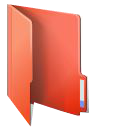
Giveaway of the day — FolderIco 6.2.1
L'offre gratuite du jour pour FolderIco 6.2.1 était valable le 7 mars 2019!

FolderIco permet de personnaliser l'icône de chaque dossier Windows en un clic! Vous ne savez pas comment changer le dossier jaune standard en un dossier coloré et lumineux? Avec FolderIco, donnez des couleurs aux dossiers Windows. En un seul clic, colorisez vos dossiers et découvrez un nouveau moyen intuitif de classer vos fichiers. Un coup d’œil suffit maintenant pour identifier le dossier que vous recherchez!
FolderIco est un logiciel très léger, qui ne reste pas en mémoire. Il utilise une fonctionnalité native de Windows pour être plus efficace. Découvrez sa simplicité: avec un simple clic-droit sur un dossier, vous changez l'icône!
Veuillez noter que vous pouvez acheter un Personnel. licence (avec support et mises à jour) avec 50% de réduction!
Configuration minimale:
Windows Vista/ 7/ 8/ 8.1/ 10; 1000 MHz processor; 128 MB RAM
Éditeur:
TeoreXPage web:
http://www.folderico.com/Taille du fichier:
13.5 MB
Prix:
$19.99
Titres en vedette

Supprime les objets indésirables à partir d'images silencieuses, couleur: tels que des logos, des filigranes, des lignes électriques, des gens, du texte ou d'autres artefacts indésirables. Il n'y a pas besoin de passer par déconner avec votre outil de clone ancien manuellement plus! Achetez une licence personnelle avec 50% de réduction.

Photo Scissors outil de suppression de fond peut facilement extraire des objets et enlever fond à partir de photos. Tout ce que vous avez besoin est de tirer quelques avant-plan et arrière-plan et de l'algorithme prend soin des détails. Achetez une licence personnelle avec 50% de réduction.

Photostitcher combine automatiquement les photos qui se chevauchent pour produire parfaite image panoramique. Vous venez de prendre quelques images qui se chevauchent et cliquez sur le bouton Point. Photostitcher est une image piqueuse entièrement automatique. Achetez une licence personnelle avec 50% de réduction.

iResizer pèse une image sans modifier le contenu visuel important: comme les personnes, les bâtiments, les animaux, etc. iResizer vous permet de rétrécir ou agrandir les images pour améliorer une composition, adapter à une mise en page, ou changer l'orientation. Achetez une licence personnelle avec 50% de réduction.

WebInpaint - Retire les objets non désirés et; Correction des imperfections en ligne!
GIVEAWAY download basket



Commentaires sur FolderIco 6.2.1
Please add a comment explaining the reason behind your vote.

Hi, last time FolderIco was offered here on GOTD was in June 1, 2018. That was version 5.1. So what has changed since then, in case that's the version you installed and use? We can find it on TheoreX webpage here:
'Changelog
What's new in FolderIco 6.2
Improved network folder changes
What's new in FolderIco 6.1
Minor improvements
What's new in FolderIco 6.0
Added support of changing multiple folders icons
Added feature to reset folder icons from main dialog
Added feature to change folders & subfolders icons
Added command line support
Improved usability and stability'
I still enjoy FolderIco and it's ease to use and 'decorate' these Folder icons with colours and signs with right-click of a mouse, on desktop and throughout my computer. They do stand out from the rest and make searching and looking into these Folders so much easier! Thanks for offering it again.

There is a built in feature that can be used to change folder icons for Windows 10, which also allows for the use of custom made icons; even icons made by yourself. I am wondering if this little app will make that an easier process, so I will download it and give it a try. Will let you all know what I learn.
OK, I downloaded the program and installed it. I have to say that the Activate.exe worked perfectly after the installation was completed.
Now to the performance of the program:
I can use images that I created as the icon for a particular program, but it puts the chosen image in the fold of the folder icon and it won't allow further customization of the folder icon, like changing the color of the folder if you use that feature (Add Overlay). What I am wanting to do is make the image I create the entire icon. This may be possible already in this program, but I will need to explore further to find out.
Some instructions on the use of different features in the program would be helpful, so I will check the site to see if there are any.
The above said, I still think this will be a keeper. I like how easy it is to do what it offers. Of course more experimenting with it will likely reveal hidden gems of usefulness.
Thanks Teorex and GTOTD!
A simple, clean little program that does one thing but does it well. Worth the download. Thanks TeoreX & GotD.
Very-very-very and really usefull. And even better because folder icons are transfered when you transfer folders between pc's . Thank you.
offres du jour pour iPhone »





offres du jour pour Android »





Bon logiciel pour égayer les icônes.
MERCI
Save | Cancel