Chaque jour, nous vous offrons des logiciels sous licence GRATUITS que vous devriez autrement payer!
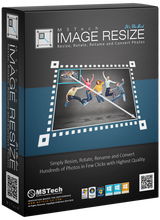
Giveaway of the day — MSTech Image Resize 1.5.2
L'offre gratuite du jour pour MSTech Image Resize 1.5.2 était valable le 16 avril 2019!
MSTech Image Resize est un logiciel pratique et efficace qui vous permet de redimensionner, de compresser, de faire pivoter, de renommer et de convertir vos images en mode simple et traitement par lots.
Pourquoi MSTech Image Redimensionner?
Il est facile à installer et à utiliser, sans réglages supplémentaires déroutants.
Tout ce que vous devez faire est résumé en trois étapes:
- Sélectionnez le fichier ou le chemin
- Sélectionnez "MSTech Image Resize Basic" dans le menu contextuel Windows.
(Clic droit - Menu Shell)
- Définir les paramètres de redimensionnement
- Et puis appuyez sur "OK", c'est tout.
OFFRE SPÉCIALE POUR GOTD:
Achetez MSTech Image Resize Pro v1.5 + MISE À NIVEAU GRATUITE vers la v2.0 Pro Edition + POUR 2PC - 55% de réduction (12 $). Un jour seulement.
Configuration minimale:
Windows 7/ 8/ 8.1/ 10 (x86/x64)
Éditeur:
MSTechPage web:
https://mstech-co.com/mstech-image-resize/Taille du fichier:
37.9 MB
Prix:
$20.00
Titres en vedette
OFFRE SPÉCIALE POUR GOTD: Achetez MSTech Folder Icon Pro v2.9.9.960 + MISE À NIVEAU GRATUITE vers la v3.0 + POUR 2PC - 55% de réduction (20 $). Un jour seulement. MSTech Folder Icon est un logiciel efficace et convivial développé pour vous permettre de personnaliser l'apparence des icônes de vos répertoires, vous permettant ainsi de travailler avec un large éventail d'images et de couleurs. Il vous donne tout ce dont vous avez besoin pour créer des icônes de dossier étonnantes et illimitées et les assigner à n’importe quel dossier, de la manière la plus simple possible. En fait, il s’agit d’une véritable fabrique d’icônes de dossiers. Elle vous propose divers types d’options vous permettant de créer un nombre illimité d’icônes de dossiers et d’utiliser les icônes appropriées pour vos dossiers Windows.

OFFRE SPÉCIALE POUR GOTD: Achetez MSTech Search in Contents Pro v1.4.3.160 + MISE À JOUR GRATUITE vers la v2.0 + pour 2PC - 55% de remise (8 $). Un jour seulement.
Il est certain que vous avez besoin de trouver et de lire rapidement un document, qu’il s’agisse d’un fichier MS Document, RTF, txt, pdf ou même d’un fichier PHP. Ce serait toujours un processus fastidieux et frustrant, vous devez ouvrir tous les documents et vérifier leur contenu un par un pour trouver le document souhaité. C'est encore pire lorsque vous êtes confronté à une masse de documents et de fichiers non organisés. MSTech Search in contents est un logiciel très pratique et utile qui vous aide à trouver les documents souhaités de la manière la plus simple et la plus rapide possible. Il vous suffit de définir votre chemin de recherche / plusieurs chemins, de saisir le mot clé ou la phrase de votre choix et de cliquer sur le bouton de recherche. Vous aurez ainsi un accès rapide à tous les documents contenant votre mot clé. Il n'est pas nécessaire d'ouvrir un autre logiciel pour voir le contenu des fichiers, vous pouvez facilement voir l'aperçu complet du document, à côté de la colonne des résultats de la recherche.
OFFRE SPÉCIALE POUR GOTD: Achetez MSTech Swift Gadget v2.1.0.0 + MISE À NIVEAU GRATUITE vers la v3.0 + POUR 2PC - 55% de réduction (20 $). Un jour seulement.
MSTech Swift Gadget est l’une des extensions les plus utiles (Windows Tool Pack). Avoir la fonctionnalité de plus de 10 logiciels en un. Il vous donne tout ce dont vous avez besoin pour que votre ordinateur soit toujours organisé. Accédez rapidement à vos dossiers, fichiers et logiciels les plus fréquemment utilisés, effectuez une recherche rapide et accédez à votre musique, vidéos, images et…, catégorisez automatiquement vos fichiers et images, ainsi que de nombreuses fonctionnalités utiles. Ce logiciel pratique et utile vous permet d’en faire plus avec moins d’efforts.
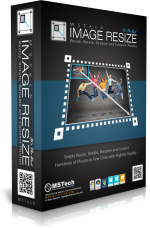
OFFRE SPÉCIALE POUR GOTD: Achetez MSTech Image Resize Pro v1.5 + MISE À NIVEAU GRATUITE vers la v2.0 Pro Edition + POUR 2PC - 55% de rabais (12 $). Un jour seulement.
MSTech Image Resize est un logiciel pratique et efficace qui vous permet de redimensionner, compresser, faire pivoter, renommer et convertir vos images en mode simple et traitement par lots. Pourquoi MSTech Image Redimensionner? Il est facile à installer et à utiliser, sans réglages supplémentaires déroutants. Tout ce que vous devez faire est résumé en trois étapes: • Sélectionnez le fichier ou le chemin • Select "MSTech Image Resize Basic" From the Windows Context Menu (Right Click - Shell Menu) • Set the resizing parameters And then press "OK", that's it.
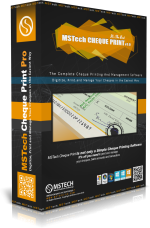
Achetez MSTech Check Print Pro v1.4.13.1531 + MISE À NIVEAU GRATUITE vers la v2.0 - POUR 2PC + 75% de rabais (67 $) Économisez 202 $. Un jour seulement.
MSTech Check Print n'est pas seulement un logiciel d'impression de chèques, il s'agit également d'un logiciel complet vous permettant de gérer vos comptes bancaires, vos paiements et vos transactions de la manière la plus simple possible.
GIVEAWAY download basket


Commentaires sur MSTech Image Resize 1.5.2
Please add a comment explaining the reason behind your vote.

Registration (via the instructions in the README file) went quickly; no problems at all. The interface and controls seem clear and easy to use. I've been looking for a good batch resizer; I think this is it. Thank you to GAOTD and MSTech!

Suggestions:
1. Allow 'drag and drop" to take images from file folder to software =
unnecessarily long/round about to have to hunt for folder
2. allow for software to add an extension to image name - to distinguish
it from original (i use tools.dynamicdrive.com/images - you select which
version you want and a _# is automatically added)
3. by 'jpeg image compression", i assume the software is reducing the
image file size - NOT- image dimensions?
if yes, why not just create a number of different compressions and allow
user to select best version? I'm guessing most users won't know best
compression - how does one select best?
with this software, i'd have to make many different versions -
time consuming - then, try to figure out which to select by opening them
one at a time ?? time consuming and confusing
I just made two file compressions...chose what i thought would
be a good percentge - and the output was still larger than the one
i did with dynamicdrive - time consuming - confusing
thank you
Dear Karen Stavert,
Thanks for your comment, to answer your comments,
1 & 2- you can right click on your preferred folder and select "MSTech Image Resize" from windows right click menu, no need to manually browse for the folder. But our tech team is working on the next version, which will give you better access to your images. Also the naming section will have some improvements as well.
3- It will reduce the image file size, but it depends on your images and their colors. As I mentioned previously, the preview mode will have some updates too.
We spend time to read all your comments, and be sure that we will use them to improve the software performance.
Best Regards,
MSTech Support Team
Testing it out for batch resize. Question came up. Can it handle both landscape and portrait formats at same time in batch mode?
Example: I have a lot of large photos, wanting to reduce them to 1280x720 (if landscape format) or 720x1280 (if portrait format).
Can these be done at same time in batch mode, or do I need to process them separately. Thanks!
Dear Dave,
Thanks for your comment, this version doesn't have this option, but it is in our next update which will be released within two days.
Best Regards,
MSTech Support Team
offres du jour pour iPhone »





offres du jour pour Android »





Après avoir essayé le logiciel MSTech Image Resize 1.5.2 , j'ai constaté qu'il avait une interface conviviale, utilisation
simple , fiable , et très rapide.
MERCI.
Save | Cancel