Chaque jour, nous vous offrons des logiciels sous licence GRATUITS que vous devriez autrement payer!
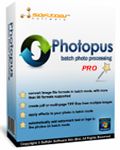
Giveaway of the day — Photopus Pro 1.3
L'offre gratuite du jour pour Photopus Pro 1.3 était valable le 30 juin 2015!
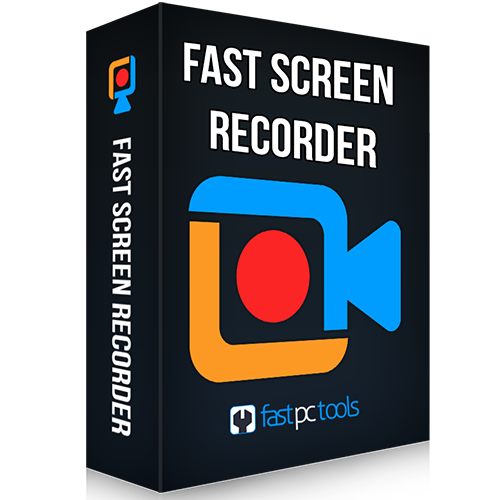
Photopus Pro est un logiciel de montage photo par lots facile à utiliser qui vous permet d'effectuer des conversions, d'ajouter du texte, des images et des filigranes sur vos photos, de redimensionner vos images, ainsi que d'effectuer des transformations, appliquer des effets et renommer des fichiers, etc. Ce programme vous permet également de traiter vos photos par lots au lieu de les modifier une à une. Vous pouvez également redimensionner automatiquement vos photos grâce à des paramètres intégrés, ainsi qu'utiliser un grand nombre d'options (pivoter, rogner, convertir vers d'autres formats, tels que des PDF ou TIFF).
Ce logiciel comprend en outre des effets spéciaux (noir et blanc, sépia, floutage, relief, correction des yeux rouges, tourner sur lui-même, niveaux de gris, etc.). Ajustez la brillance, le contraste, la finesse du grain, l'équilibre des couleurs, etc.
Configuration minimale:
Windows 2000/ 2003/ 2008/ XP/ Vista/ 7/ 8 (x32/x64); Processor: Intel or AMD or compatible processors, 1GHz; HDD: 500 MB space; RAM: 512 MB or higher
Éditeur:
Softdiv Software Sdn BhdPage web:
http://www.photopus.net/Taille du fichier:
15.8 MB
Prix:
$39.95
Titres en vedette

Recordzilla est un logiciel de capture d'écran qui vous permet de capture des vidéos, des fichiers audio et des images de l'ensemble des éléments que vous visualisez sur votre écran d'ordinateur et enregistre aux formats AVI, WMV, Flash SWF, ou Flash FLV.
Dexster Audio Editor est un outil d'édition audio parfait prenant en charge votre production musicale et la plupart des formats audio.

Videozilla est un outil de complet permettant de convertir les fichiers vidéo AVI, WMV, MPEG, RM, MOV, ASF, SWF, FLV, F4V, MPEG-4, M4V, MKV, VOB, 3GP, 3G2, DAT, WEBM, OGM, OGV, Blu-ray, vidéo HD (AVCHD, MTS, M2T, M2TS, TS) qui fonctionne grâce à un menu accessible via un clic droit sur les fichiers vidéos sélectionnés.
My Audio Cutter est un logiciel qui permet aux utilisateurs de couper des fichiers audio en plusieurs morceaux. L'interface du programme est conviviale et intuitive. Il vous permet également de définir les temps de démarrage et d'arrêt ne mode visuel ou manuel ou encore la longueur du morceau.
GIVEAWAY download basket


Commentaires sur Photopus Pro 1.3
Please add a comment explaining the reason behind your vote.

Installed and registered without problems on a Win 8.1.3 Pro 64 bit system. IMHO way to many registry changes for such a "small" software. The installer is password protected. Password=registration key in the Readme.txt
Something new: a Malasian company with address, phone&fax: 11700 Gelugor Penang, Malaysia.
Never heard from this program. This version is on the market since one year:
http://www.photopus.net/press.html
It is difficult to enter such a crowded market. Maybe GOTD helps a little bit.
A resizable window opens, you add your photo, file or directory, add a filter...
... and here the problems starts:
I wanted to add "pixelize", the filter window is not resizable, you cannot zoom to see, what happens. Do you see a difference?
http://i.imgur.com/Kc77mXi.png
With the effect "twirl", it shows the changes. Any use of that?
http://i.imgur.com/tTDkQ9R.png
The default output is c:\Photopus and you process the photos...
The program cannot rename, only overwrite, if you use the same folder
http://i.imgur.com/kmou0Vd.png
It has a reason, why this program is not well known. Test it for yourself. And 40$? You'll get grown up programs for this money.
Uninstalled via reboot
------------------------
screenshots are always made by Greenshot

Downloaded ok, what is with the GOTD programs asking for a Facebook login? Anyway, the setup asked for a password and the setup text says registration key, I tried it for the password and it worked. After running the program I found it lacking; for example to add files you have to right click in the file area even though a menu item button says add files, no dialog box until you right click. I tried the simple crop and it came up with top and width boxes but no on screen box to show what you are doing until you finish then it shows the two pictures side by side. I didn't bother with anything else as this was enough to convince me not to use it. The price is way over the top for this as excellent photo editing and batch picture programs are free on SourceForge and this has nothing to recommend it.
Freeware Image Editors having batch processing functions
Fotor - http://www.fotor.com/windows/ ( an excellent program for collage creation but it also supports batch processing which can help you for Scenes, Effects, and Borders, as well as Batch resizing, renaming, and file conversion. => http://www.fotor.com/windows/user-guide.html )
ImBatch-http://www.highmotionsoftware.com/products/imbatch
Photoscape- http://www.photoscape.org/ps/main/help.php?id=batch
GIMP Batch Mode - http://www.gimp.org/tutorials/Basic_Batch/
or Using BIMP Plugin(http://registry.gimp.org/node/26259)
Image Tuner- http://www.glorylogic.com/image-tuner.html
IrfanView- http://www.irfanview.com/
XnViewMP - http://www.xnview.com/en/xnviewmp/ - powered by XnConvert.
Multiple Image Resizer .NET - https://www.multipleimageresizer.net/features.aspx
IceCream Image Resizer - http://icecreamapps.com/Image-Resizer/
SunlitGreen BatchBlitz - http://www.sunlitgreen.com/batchblitz.html
Program seemed to have everything in it to make it a good picture converter, but there are serious flaws in this program that makes it totally unusable for me. Lots of filters can be added, but the resizing is seperate. If you downsize a picture, it is usually better to apply some sharpening afterwards; they get blurry because of rounding. With this program you can sharpen an image, but not after resizing: you can´t get decend results this way (boxoft batch photo processor does a far better job). Program is not very userfriendly: Cropping can´t be done with a mouse, you must manually input coordinates: that is almost impossible without a lot of time consuming trial and error. Even the resize option works this way: it is not possible to draw a wire frame with the mouse that adapts to whether the "maintain aspect ratio" box it ticked or not: you have to put in the coordinates manually and hope for a good result. (b.t.w. there are also far to few options in how rescaling is done (bicubic, bilinear etc.) for a pro version: i could not find any option). I can´t find any use for it they way the features are implemented.
Reconsider the name of this software, it reads as "Photo Pus". (Is that a running joke? or a sign of infection? Hopefully you are not wounded by that comment, I do not wish to foment a sore point.)
offres du jour pour iPhone »





offres du jour pour Android »





επισκευη καρτα γραφικων στην Αθηνα γρηγορα και οικονομικα.
Τωρα η EASolutions βρισκεται κοντα σας.
Για οποιαδηποτεπληροφορια μη
διστασετε να καλεσετε στα τηλεφωνα μας.
Save | Cancel