Chaque jour, nous vous offrons des logiciels sous licence GRATUITS que vous devriez autrement payer!
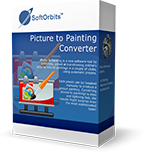
Giveaway of the day — Picture to Painting Converter 3.1
L'offre gratuite du jour pour Picture to Painting Converter 3.1 était valable le 1 avril 2021!

Picture to Painting Converter est un nouvel outil logiciel de SoftOrbits, conçu pour transformer des images ordinaires en peintures à l'huile en quelques clics, à l'aide de préréglages automatiques. Il comporte trois options principales: peinture à l'huile, dessin à l'aquarelle et impressionnisme. Chaque préréglage peut être modifié manuellement pour produire une peinture unique. Convertir des photos en tableaux est simple et rapide, les résultats risquent de surprendre même les goûts les plus sophistiqués!
Achetez une licence personnelle illimitée (avec support et mises à jour) à 70 % de remise!
Configuration minimale:
Windows 7/ 8/ 10
Éditeur:
SoftOrbitsPage web:
https://www.softorbits.com/picture-to-painting-converter/Taille du fichier:
45.3 MB
Licence details:
6 months
Prix:
$49.99
Titres en vedette
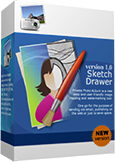
Sketch Drawer est une sorte d’outil logiciel de retouche photo conçu pour convertir des photographies en croquis au crayon. Ce programme permet aux utilisateurs de réaliser des photographies usuelles en superbes images dessinées au crayon, en noir et blanc et en couleurs. Lors de la création d’une esquisse au crayon, vous pouvez choisir vos paramètres et options préférés. Vous pouvez modifier des photos avec SoftOrbits de deux manières: manuellement et à l'aide de préréglages prédéfinis. Ces préréglages peuvent être utilisés comme guides par les débutants.
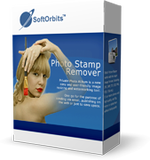
Photo Stamp Remover est un utilitaire de correction photo permettant de supprimer les filigranes, les timbres à date et autres objets indésirables apparaissant sur les photos. Offrant un processus entièrement automatique, le programme utilise une technologie de restauration intelligente pour remplir la zone sélectionnée avec la texture générée à partir des pixels entourant la sélection, de sorte que le défaut se fonde naturellement dans le reste de l'image. Ce qui prend des heures à corriger à l’aide de l’outil de clonage peut être réalisé en une minute à l’aide de Photo Stamp Remover.
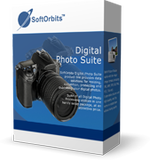
La gamme de produits SoftOrbits Digital Photo Suite fournit des solutions de données pour la retouche, le redimensionnement, la conversion, la protection et la publication de vos photos numériques.
GIVEAWAY download basket




offres du jour pour iPhone »





offres du jour pour Android »





Commentaires sur Picture to Painting Converter 3.1
Please add a comment explaining the reason behind your vote.
Nice comeback, but why selection is only square? How to change aspect ratio of selection? center points do nothing.
Save | Cancel
ad id, you can modify the selection by dragging the corner or midpoints and move the selection to an area of interest. The selection is ment to give you a quick view of the applied filter how it will look when you run the filter on the whole image.
Save | Cancel
I installed this one without any problems, though the activation process had more steps than usual. It works fine on my Win 10 machine. I don't understand the purpose of the initial preview. Once you make a different selection, it doesn't see like it's any faster to run a small the process on the preview area than on an entire image; both take several minutes.
I do wish that it would immediately show what tweaks to the settings would look like in the final image -- you have to run the whole process to see each change. And the sliders don't show any percentages or even gradient marks so you can easily return them to their previous levels after making a change (e.g., show the smudging level or stroke thickness as a percentage). It would also be helpful to have Undo and Reset to Default options.
Save | Cancel
OK, this is my take on product features and performance:
Good things: wasn't that hard to register if you follow the instructions(!!!), effects are cool, many ways to tweak the effects and get interesting pics., lots of choices for effects and tweaks.
Not-so-Good Things: Program is S L O W. I don't mean a little slow, I mean set it up and then go take-a-walk slow. Or set it up and then go read-a-book slow, ZZZZZZZZZZZZZ slow.
I tried one or two effects and each took nearly an hour on an I7, 8GB, W10 nothing-else-running computer.
What I'll do is keep this free copy but look on the web for a faster program from a company that offer refunds if you aren't happy. Ooops, did I say that?
Yup. FYI.
Thanks anyway GAOTD and SoftOrbits.
Save | Cancel
How is version 3.0 different from today's 3.1?
Save | Cancel